1. Uvod
Thank you for choosing the VIMTAG Light Bulb Security Camera Model 847. This device is designed to provide reliable surveillance for your home, offering 2.5K/4MP high-definition video, pan/tilt functionality, night vision, two-way audio, and smart detection features. This manual will guide you through the setup, operation, and maintenance of your camera to ensure optimal performance.
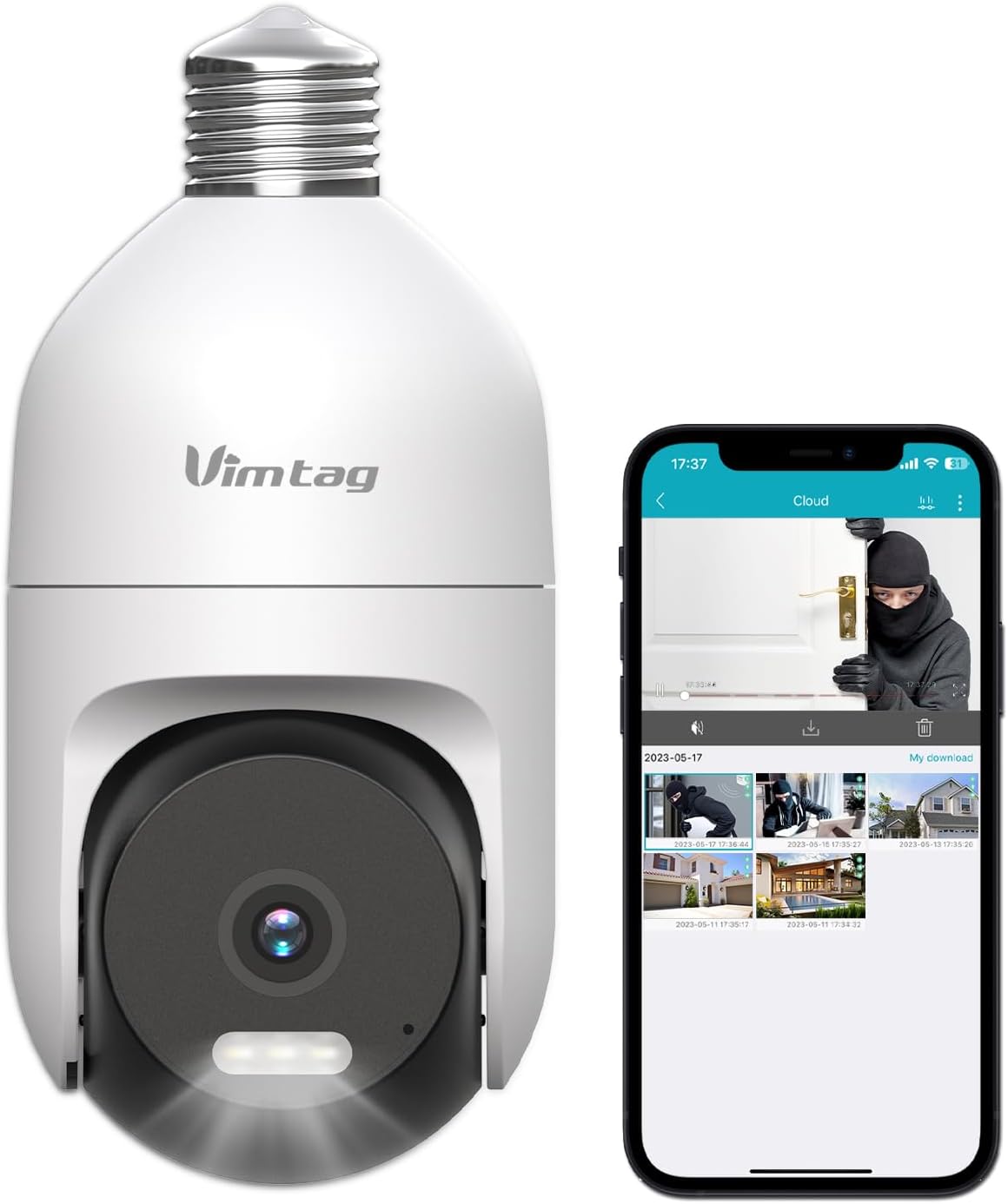
Image: The VIMTAG Light Bulb Security Camera Model 847, shown alongside a smartphone displaying its live feed.
2. Sigurnosne informacije
- Ensure the power is off before installing or removing the camera from a light socket.
- Install the camera in a standard E27/E26 light bulb socket.
- Ne izlažite kameru ekstremnim temperaturama ili vlazi izvan njezinog radnog raspona.
- Držite kameru dalje od jakih magnetskih polja.
- Ne pokušavajte sami rastavljati ili popravljati kameru. Za pomoć se obratite korisničkoj podršci.
- This camera is rated IP66 for weather resistance, suitable for outdoor use, but avoid submerging it in water.
3. Sadržaj paketa
The VIMTAG Light Bulb Security Camera package includes:
- VIMTAG Light Bulb Security Camera (Model 847)
- Upute za uporabu (ovaj dokument)
Note: An SD card for local storage is not included and must be purchased separately if desired.
4. Proizvod je gotovview
The VIMTAG Light Bulb Security Camera features a compact design that fits into a standard light bulb socket. Key components include:
- Objektiv kamere: Captures 2.5K/4MP video.
- Infracrvene (IR) LED diode: For black and white night vision.
- Reflektor: Provides color night vision and acts as a deterrent.
- Mikrofon: For audio input during two-way talk and sound detection.
- Zvučnik: For audio output during two-way talk and siren alarms.
- Utor za mikro SD karticu: Za lokalnu pohranu videa (podržava do 512 GB).
- Gumb za resetiranje: Used for factory reset (usually a small pinhole).
- E27/E26 Base: Standard light bulb screw-in base for power and mounting.
5. Postavljanje
5.1 Fizička instalacija
- Isključivanje: Ensure the power to the light socket is turned off at the circuit breaker before installation.
- Uvrtanje: Carefully screw the VIMTAG Light Bulb Camera into a standard E27/E26 light bulb socket. Ensure it is securely fastened.
- Uključivanje: Restore power to the light socket. The camera will power on and initiate its startup sequence.

Image: Illustration of screwing the camera into a light bulb socket.
5.2 Preuzimanje aplikacije i stvaranje računa
- Preuzmi aplikaciju: Tražiti "Vimtag" in your smartphone's app store (iOS App Store or Google Play Store) and download the official VIMTAG aplikacija
- Registrirajte račun: Open the app and follow the on-screen instructions to register a new account using your email address or phone number.

Image: A smartphone screen showing the VIMTAG app icon, indicating the app download step.
5.3 Uparivanje kamere i Wi-Fi veza
- Dodaj uređaj: In the VIMTAG app, tap the "+" icon (usually in the top right or center) to add a new device.
- Odaberite vrstu kamere: Choose "Light Bulb Camera" from the list of device types.
- Follow In-App Prompts: The app will guide you through connecting the camera to your 2.4GHz Wi-Fi network. This typically involves scanning a QR code generated by the app with the camera lens or listening for an audio prompt.
- Potvrda veze: Once connected, the camera will indicate successful pairing (e.g., a voice prompt or LED indicator change), and its live feed will appear in the app.

Image: A smartphone screen showing the process of adding a new device, specifically selecting the light bulb camera.

Image: A smartphone displaying the live video feed from the VIMTAG camera after successful setup.
6. Upravljanje kamerom
6.1 Uživo View i upravljanje panoramiranjem/nagibom
Once connected, open the VIMTAG aplikaciju i odaberite kameru za view the live feed. Use the on-screen controls to pan (horizontal 355°) and tilt (vertical 100°) the camera lens to adjust the viewing angle. The camera offers 8x digital zoom for closer inspection.

Image: Multiple devices (phone, tablet, laptop, desktop) displaying the live feed from the VIMTAG camera, illustrating multi-terminal viewing.
6.2 Dvosmjerni zvuk
The camera features a built-in microphone and speaker. Tap the microphone icon in the app to speak through the camera, and listen to audio from the camera's location. This allows for real-time communication with visitors or to deter intruders.

Image: A person speaking into a phone to communicate with a delivery person at the door via the VIMTAG camera's two-way audio.
6.3 Načini noćnog vida
Kamera podržava dva načina noćnog vida:
- IR noćni vid: Defaults to black and white infrared vision in low light conditions.
- Color Night Vision with Spotlight: When the spotlight mode is activated (manually or via motion detection settings), the camera will switch to full-color night vision.
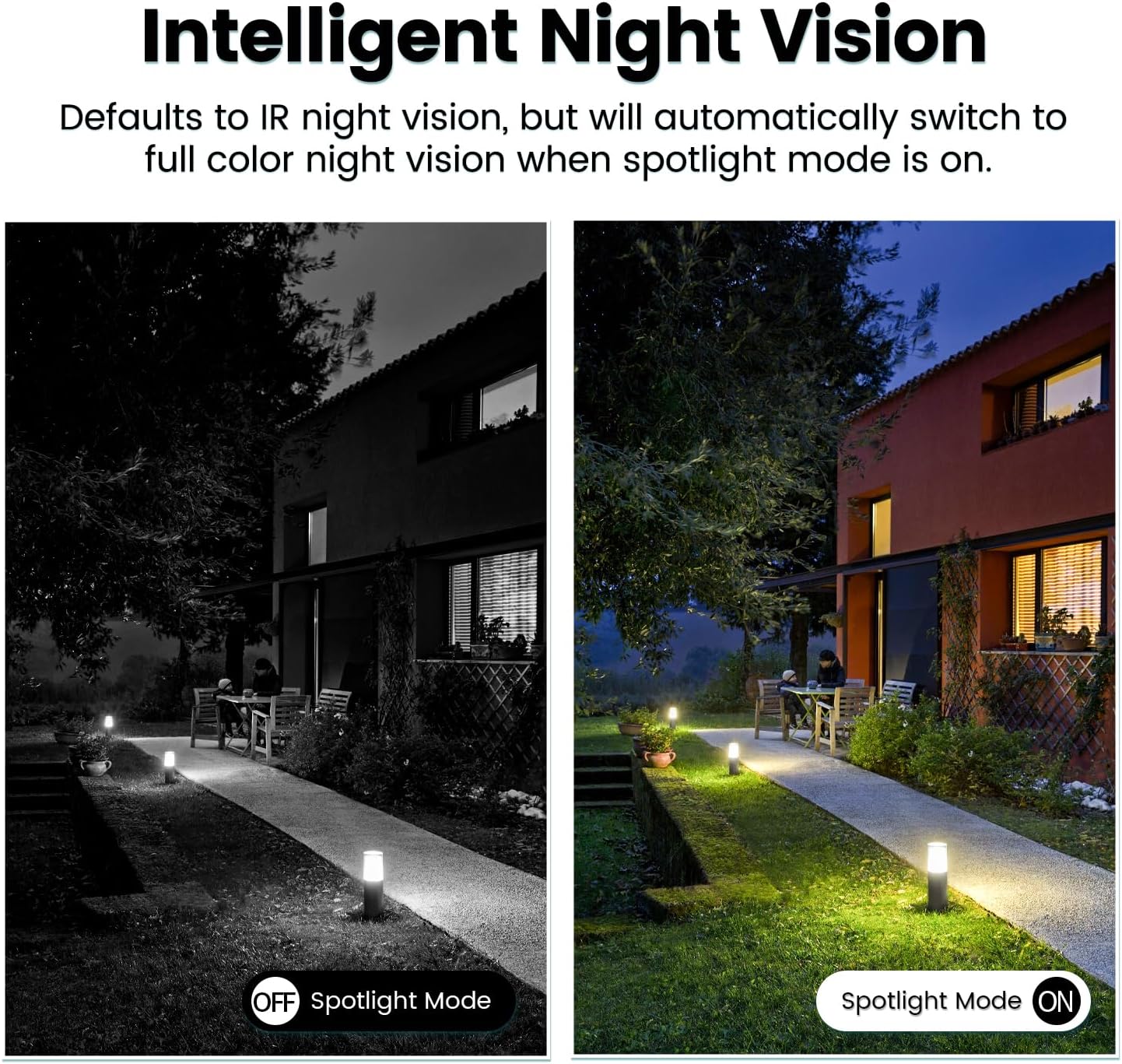
Image: Comparison of IR night vision (black and white, spotlight off) and color night vision (full color, spotlight on) from the VIMTAG fotoaparat.
6.4 AI Human/Motion/Sound Detection and Alarms
Configure detection settings in the VIMTAG app. The camera can detect human shapes, general motion, and sounds. Upon detection, you will receive notifications on your phone, and the camera can trigger a siren alarm or activate its spotlight to deter unwanted activity.

Image: An illustration of the VIMTAG camera detecting an intruder, triggering a spotlight and sending an alert to a smartphone.

Image: A smartphone displaying a "Motion Detection Alert" notification from the VIMTAG aplikacija
6.5 Snimanje i pohranjivanje videa
Kamera podržava dvije opcije pohrane:
- Lokalna pohrana: Insert a Micro SD card (up to 512GB, not included) into the camera's SD card slot for continuous 24/7 recording. Recorded footage can be accessed and managed through the VIMTAG aplikacija
- Pohrana u oblaku: An optional cloud storage service is available through the VIMTAG app for secure, encrypted video storage. Subscription details can be found within the app.
6.6 Integracija s Alexom
The VIMTAG camera is compatible with Amazon Alexa. To integrate:
- Enable the VIMTAG vještina u aplikaciji Alexa.
- Link your VIMTAG račun.
- Otkrijte uređaje.
You can then use voice commands such as, "Alexa, show me the [camera name]" to view the live feed on compatible Alexa-enabled devices with screens (e.g., Echo Show).

Image: A person interacting with an Amazon Echo Show to view the VIMTAG camera feed using voice commands.
7. Održavanje
- Čišćenje: Nježno obrišite objektiv i tijelo fotoaparata mekom, suhom krpom. Nemojte koristiti jake kemikalije ili abrazivna sredstva za čišćenje.
- Ažuriranja firmvera: Regularly check the VIMTAG app for available firmware updates. Keeping your camera's firmware updated ensures optimal performance, security, and access to new features.
- Upravljanje SD karticama: If using an SD card, periodically review i napravite sigurnosnu kopiju važnih stvaritage. Format the SD card through the app if you experience recording issues or to clear old data.
8. Rješavanje problema
| Problem | Mogući uzrok | Otopina |
|---|---|---|
| Kamera se ne uključuje. | No power to the light socket; camera not screwed in properly. | Check the light socket's power supply; ensure the camera is securely screwed in. |
| Ne mogu se spojiti na Wi-Fi. | Netočna lozinka za Wi-Fi; kamera je previše udaljena od usmjerivača; korištena je Wi-Fi mreža od 5 GHz. | Verify Wi-Fi password; move camera closer to router; ensure you are connecting to a 2.4GHz Wi-Fi network. |
| Loša kvaliteta videa. | Weak Wi-Fi signal; dirty lens. | Improve Wi-Fi signal strength; clean the camera lens. |
| Detekcija pokreta ne radi. | Detection settings disabled or sensitivity too low; camera positioned incorrectly. | Check and adjust motion detection settings in the app; ensure camera has a clear view područja. |
| SD kartica ne snima. | SD kartica je puna ili oštećena; neispravne postavke snimanja. | Format the SD card via the app; check recording schedule and settings. Replace SD card if necessary. |
9. Specifikacije
| Značajka | Detalj |
|---|---|
| Naziv modela | 847 |
| Video rezolucija | 2.5K / 4MP (1440p) |
| Pan/Tilt raspon | 355° vodoravno, 100° okomito |
| Digitalni zum | 8x |
| Noćni vid | IR Night Vision & Color Night Vision with LED Spotlight |
| Dvosmjerni audio | Yes (Built-in Microphone & Speaker) |
| Otkrivanje | AI Human, Motion, Sound Detection |
| Povezivost | 2.4 GHz Wi-Fi (IEEE 802.11b/g/n) |
| Mogućnosti pohrane | Micro SD Card (up to 512GB), Cloud Storage (optional subscription) |
| Izvor napajanja | Corded Electric (E27/E26 Light Bulb Socket) |
| Unutarnja/vanjska upotreba | Da (IP66 vodootporno) |
| Kompatibilni uređaji | iOS, Android, Mac, iPad, Windows, Amazon Alexa |
| Dimenzije (D x Š x V) | 3.07 x 3.07 x 5.31 inča |
| Težina artikla | 9.1 unci |
| Frame Rate | 25 sličica u sekundi |
| Video kodiranje | H.264/H.265 |
10. Jamstvo i podrška
VIMTAG products come with a standard manufacturer's warranty. For specific warranty terms and conditions, please refer to the warranty card included with your product or visit the official VIMTAG website. For technical support, troubleshooting assistance, or any product-related inquiries, please contact VIMTAG customer service through the VIMTAG app or their official webmjesto.
Mrežni resursi:
- VIMTAG Službenik Webstranica: Visit the VIMTAG Trgovina na Amazonu
- In-App Support: Access support features directly within the VIMTAG mobilna aplikacija.


