Uvod
This manual provides detailed instructions for the assembly, operation, and maintenance of your Tribesigns 59-Inch Computer Desk with 3 Drawers. Please read all instructions carefully before beginning assembly and retain this manual for future reference.
Ključne karakteristike:
- Adaptable & Reversible Drawers: The drawer section can be installed on either the left or right side to suit personal preferences.
- Large Desktop for Work: Generous dimensions of 59.05" W x 19.68" D x 29.52" H provide an extensive work surface.
- Three Capacious Drawers: Includes one specifically customized for file skladištenje.
- Versatile Design: Blends a robust black metal frame with a rustic brown wooden tabletop for an industrial aesthetic.
- Prioritized Safety: Features smooth edges to prevent accidental injuries or scratches.
- Adjustable Foot Pads: Ensures stability on uneven surfaces.
Sigurnosne informacije
To ensure safe use of your computer desk, please observe the following:
- The desk incorporates smooth edges to prevent accidental injuries or scratches during routine activities.
- Tijekom sastavljanja provjerite jesu li svi vijci i pričvrsni elementi čvrsto zategnuti i periodički provjeravajte jesu li zategnuti.
- Nemojte preopteretiti stol ili ladice preko njihovog predviđenog kapaciteta.
- Tijekom sastavljanja držite male dijelove dalje od djece kako biste spriječili opasnost od gušenja.
- Assemble the desk on a soft, clean surface to avoid scratching the product.
Sadržaj paketa
Before assembly, verify that all components listed below are present. If any parts are missing or damaged, please contact customer service.
Hardware and Parts List:
- Upute za sastavljanje
- Hardware (screws, bolts, adjustable foot pads, drawer slides, handles)
- Desk components (desktop panels, metal frame parts, drawer panels)
Refer to the assembly video for a visual breakdown of all included parts and hardware.
Upute za sastavljanje
Assembly is recommended for two people. Please follow these steps carefully. An assembly video is provided for visual guidance.
Video montaže:
Official Tribesigns 59-Inch Computer Desk Assembly Video. This video provides a step-by-step visual guide for assembling the desk, including all components and hardware.
Vodič korak po korak:
Korak 1: Pričvrstite podesive jastučiće za noge
Attach the adjustable foot pads (K) to the bottom of the metal frame parts (14, 15, 16). Ensure they are securely fastened to provide stability.

Image shows a person attaching adjustable foot pads to the base of the metal frame components.
Korak 2: Ugradite klizače za ladice
Separate the drawer slides (J) into two parts (J-1 and J-2). Attach the J-1 parts to the inner sides of the drawer cabinet frames (15, 16) using the provided screws (M3.5*14, 4 pcs). Ensure they are aligned correctly for smooth drawer operation.

Image illustrates the process of screwing the drawer slide components onto the side panels of the drawer unit.
Step 3: Assemble the Desk Frame (Left Side)
Connect the curved metal leg (18) to the horizontal support bar (19) using screws (C, M6*12, 2 pcs). Then, attach this assembly to the left drawer cabinet frame (15) using screws (B, M6*40, 4 pcs). Repeat for the other side of the left frame.

Image shows a person connecting the curved leg to the horizontal bar and then to the drawer cabinet frame.
Step 4: Attach Crossbars to Desk Frame
Secure the crossbars (17, 20) to the assembled desk frame using screws (C, M6*12, 4 pcs) and (B, M6*40, 2 pcs). These provide additional stability to the structure.

Image shows the attachment of the crossbars to the metal frame for structural support.
Korak 5: Osigurajte ploče radne površine
Place the desktop panels (1 and 2) onto the assembled metal frame. Align the pre-drilled holes and secure them using screws (A, M5*50, 10 pcs). Ensure both panels are flush and tightly fastened.

Image shows the desktop panels being placed and screwed onto the metal frame.
Step 6: Assemble Drawers (Box Drawers)
For the box drawers, connect the front (4), back (7), and side panels (5, 6) to the bottom panel (8) using screws (F, 4 pcs) and wooden dowels (G, 4 pcs). Ensure the back panel (7) slides into the groove of the side panels. Secure the drawer handle (H) to the front panel (4) using screws (M3.5*14, 2 pcs).

Image shows the assembly of a drawer box, including attaching panels and the handle.
Korak 7: Sastavite File Ladica
Za file drawer, connect the front (9), back (12), and side panels (10, 11) to the bottom panel (13) using screws (F, 4 pcs) and wooden dowels (G, 4 pcs). Insert the metal file bars (21) into the designated slots on the side panels. Attach the J-2 parts of the drawer slides to the sides of the assembled drawer using screws (M3.5*14, 4 pcs). Secure the drawer handle (H) to the front panel (9) using screws (M3.5*14, 2 pcs).

Image shows the assembly of a file drawer, including the file bars and drawer slides.
Korak 8: Umetnite ladice u ormarić
Carefully align the drawer slides (J-2) on the assembled drawers with the corresponding slides (J-1) on the drawer cabinet frame. Gently push the drawers into place until they click and slide smoothly. Ensure all three drawers are installed correctly.

Image shows a person inserting a completed drawer into the desk's drawer cabinet.
Upute za rad
Reversible Drawer Configuration:
The Tribesigns Computer Desk features a reversible design, allowing the drawer section to be installed on either the left or right side of the main desk. This flexibility enables you to customize your workspace layout according to your preference and room configuration. The assembly steps provided above demonstrate the installation process, which is adaptable for both left and right-side placement.
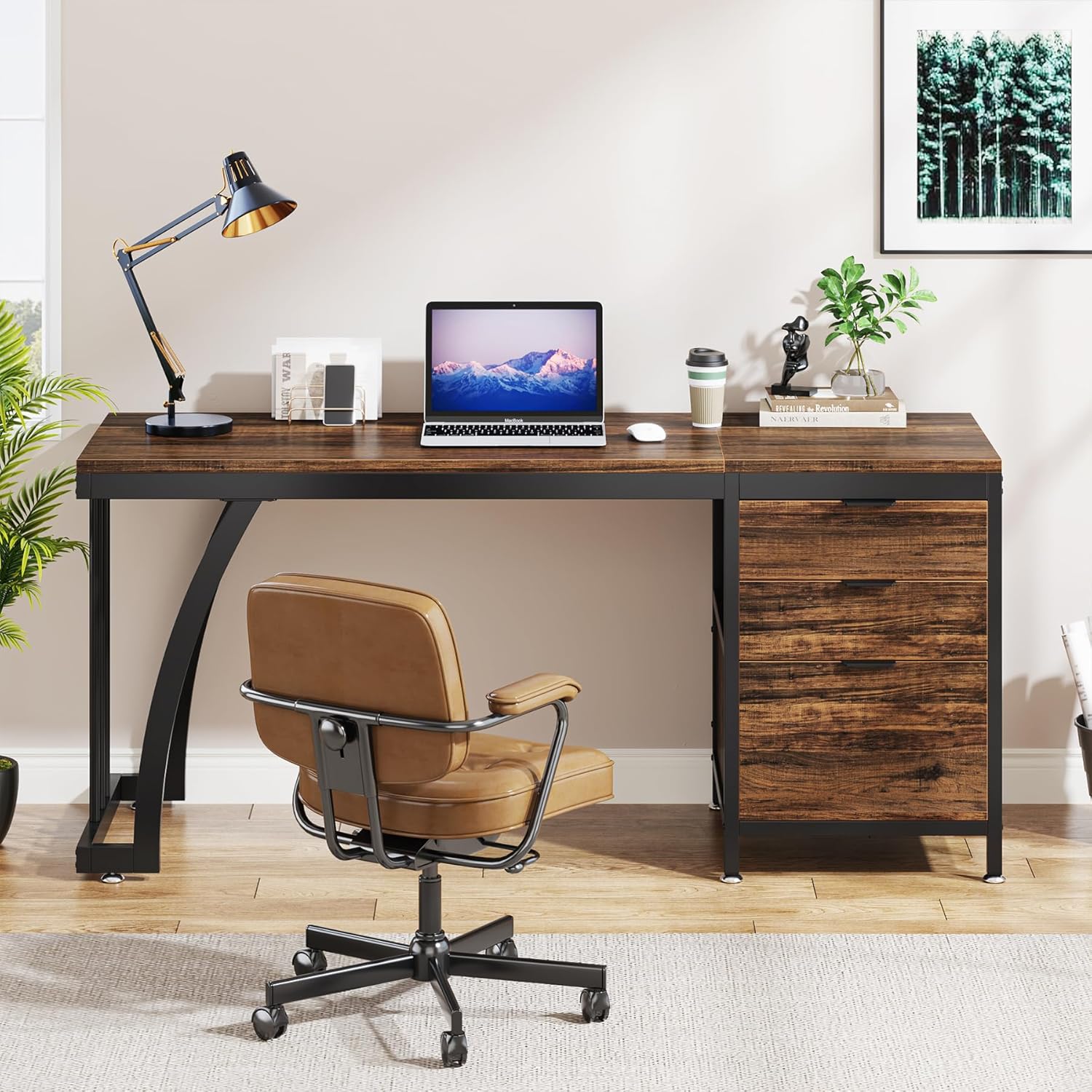
Image showing the desk configured with the drawer unit on the right side.
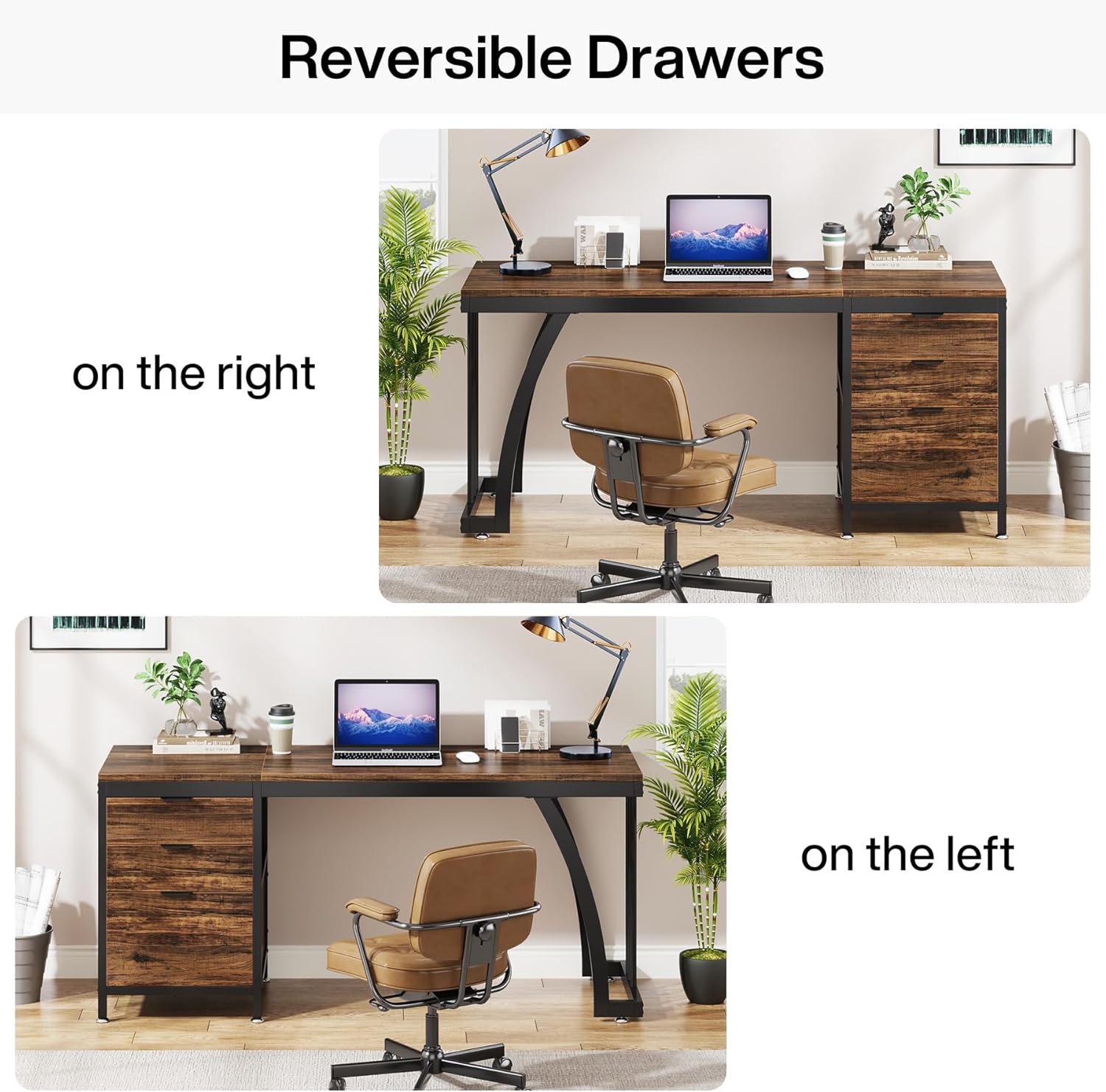
Image showing the desk configured with the drawer unit on the left side.
Upotreba ladice:
- The desk includes two standard box drawers and one file ladica.
- The file drawer is designed to accommodate standard hanging file mape.
- To open a drawer, gently pull the handle. To close, push the drawer firmly until it is fully seated.
- Avoid forcing drawers open or closed to prevent damage to the slides.
Podesivi jastučići za noge:
The desk is equipped with adjustable foot pads to ensure stability on uneven floors. To adjust, simply rotate the foot pads clockwise to raise the desk corner or counter-clockwise to lower it until the desk is level and stable.
Održavanje
Proper care will extend the life of your Tribesigns Computer Desk.
- Čišćenje: Obrišite površine stola oglasomamp krpom. Izbjegavajte jake kemikalije ili abrazivna sredstva za čišćenje koja mogu oštetiti završnu obradu.
- Metalni dijelovi: Periodically check metal parts for any signs of rust or wear. Clean and dry immediately if moisture is present.
- Pričvršćivači: Regularly inspect all screws and bolts to ensure they remain tight. Re-tighten as necessary to maintain structural integrity.
- Klizači ladica: If drawers become stiff, apply a small amount of silicone-based lubricant to the drawer slides.
- Izbjegavajte izravnu sunčevu svjetlost: Dugotrajno izlaganje izravnoj sunčevoj svjetlosti može uzrokovati blijeđenje ili oštećenje drvenog premaza.
Rješavanje problema
Ako naiđete na bilo kakve probleme sa svojim stolom, pogledajte sljedeća uobičajena rješenja:
- Klimanje stola: Check if the adjustable foot pads are properly leveled. Adjust each foot pad until the desk is stable. Ensure all frame connections are securely tightened.
- Ladice se zaglavljuju ili se ne zatvaraju glatko: Verify that the drawer slides are correctly installed and aligned. Ensure no objects are obstructing the drawer's path. Lubricate slides if necessary. Check that the drawer box itself is assembled squarely.
- Nedostajući dijelovi ili oštećene komponente: If you discover any missing parts or damaged components upon opening the package, please contact Tribesigns customer service immediately for assistance.
- Poteškoće tijekom montaže: Review the assembly video and step-by-step instructions carefully. Ensure you are using the correct hardware for each step. If issues persist, contact customer support.
Tehnički podaci
| Marka | Plemenski dizajni |
| Broj modela | YA06-J5031WQQ |
| Dimenzije proizvoda | 19.7"D x 59"Š x 29.5"V |
| Težina artikla | 30 kilogram |
| Boja | Rustikalno smeđa |
| Stil | Industrijski |
| Vrsta gornjeg materijala | Drvo (konstrukcijsko drvo) |
| Osnovni materijal | Metal |
| Broj ladica | 3 (2 Box Drawers, 1 File Drawer) |
| Posebna značajka | Reversible Drawer Configuration |
| Obavezna montaža | Da |
| Preporučeni broj ljudi za okupljanje | 2 |
| Upute za njegu proizvoda | Očistite s damp cloth, check for rust or wear on metal parts |
Jamstvo i podrška
Tribesigns offers a limited warranty for this product. For specific warranty details, please refer to the documentation included with your purchase or contact Tribesigns customer service.
For any questions, assistance with assembly, or to report missing/damaged parts, please contact our customer service team. Your satisfaction is our priority.
- Služba za korisnike: Za kontaktne podatke pogledajte dokumentaciju o kupnji.
- Planovi zaštite: Prošireni planovi zaštite mogu biti dostupni za kupnju. Za opcije se obratite svom prodavaču.


