1. Uvod
The iDPRT MT890 is a portable, inkless thermal printer designed for convenient printing on the go. It utilizes advanced inkless technology, eliminating the need for ink cartridges or toner. This manual provides detailed instructions to help you get started and make the most of your device.
Ključne značajke uključuju:
- Advanced Inkless Technology: High-speed thermal printing without ink or toner.
- Innovative Built-in Roll Paper Design: Supports A4, US Letter, and A5 sizes, with a serrated tearing knife for custom lengths.
- Free "HerePrint" App: Offers extensive functions for creative printing experiences on mobile devices.
- Jednostavno povezivanje: Supports Bluetooth for mobile devices (iOS, Android) and USB for laptops (Mac, Windows, Linux, Chrome OS).
- Kompaktan i prijenosan: Lightweight design (2.77 pounds) for easy transport in briefcases or backpacks.

Figure 1: The iDPRT MT890 Portable Wireless Printer in use, demonstrating its ability to print detailed images.
2. Što je u kutiji
Upon unboxing your iDPRT MT890 printer, you should find the following items:
- iDPRT MT890 Portable Wireless Printer
- Thermal A4 Paper Roll (pre-installed or included separately)
- USB-C kabel za punjenje
- korisnički priručnik
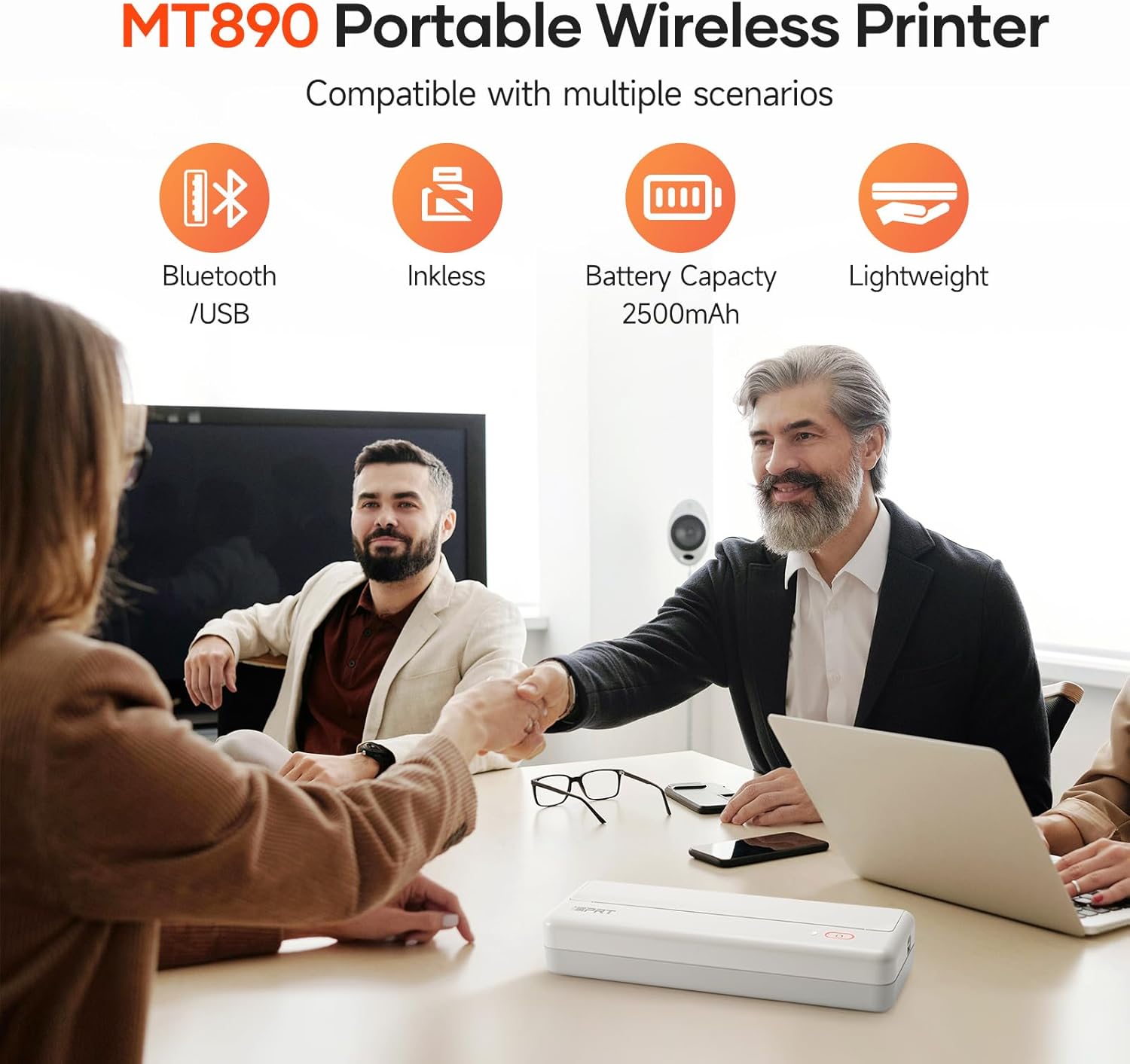
Figure 2: The iDPRT MT890 printer shown with a roll of thermal paper, indicating the paper type used by the device.
3. Proizvod je gotovview
The iDPRT MT890 printer features a minimalist design with essential controls. It is designed for ease of use and portability.
3.1 Fizičke značajke
- Gumb za napajanje: Located on the top surface, used for turning the device on/off and initiating certain functions.
- Svjetlo indikatora statusa: Provides visual feedback on power, battery, and connection status.
- Paper Output Slot: Where printed documents exit the printer.
- USB-C priključak: For charging and wired connection to computers.
- Paper Release Latches: Located on the sides, used to open the printer for paper loading.

Figure 3: The compact dimensions of the iDPRT MT890 printer, highlighting its portability.
4. Postavljanje
4.1 Punjenje pisača
- Connect the provided USB-C cable to the printer's charging port.
- Plug the other end of the USB-C cable into a compatible USB power adapter or a computer's USB port.
- The status indicator light will show charging status (e.g., red for low battery, green for fully charged).
4.2 Umetanje termalnog papira
- Locate the paper release latches on both sides of the printer.
- Press both latches simultaneously to open the printer cover.
- Insert the thermal paper roll into the designated slot, ensuring the printing side faces upwards.
- Pull a small amount of paper out of the roll, extending it past the paper output slot.
- Čvrsto zatvorite poklopac pisača dok ne klikne na mjesto.

Figure 4: Illustrates the process of loading thermal paper into the iDPRT MT890 printer.
5. Upute za rad
5.1 Uključivanje/isključivanje
- Za uključivanje: Long press the power button until the status indicator light illuminates.
- Za isključivanje: Long press the power button until the status indicator light turns off.
5.2 Veza s mobilnim uređajem (Bluetooth)
- Download the "HerePrint" app from your device's app store. Download HerePrint App
- Ensure your iDPRT MT890 printer is powered on.
- Open the "HerePrint" app and follow the on-screen prompts to connect to your printer via Bluetooth. The app will guide you through the pairing process.
- Once connected, the app will display "Printer connected."
Video 1: Demonstrates the steps for connecting the iDPRT MT890 printer to a mobile device via Bluetooth using the HerePrint app.
5.3 Computer Connection (USB)
- Download and install the appropriate MT890 driver from the official iDPRT webmjesto. iDPRT Driver Download
- Use the provided USB-C cable to connect the iDPRT MT890 printer to your computer.
- Open your document or file and select "iDPRT MT890" from the printer list to initiate printing.
Figure 5: The iDPRT MT890 printer connected to both a laptop via USB and a smartphone via Bluetooth, illustrating versatile connectivity options.
5.4 Ispis dokumenata
- From the "HerePrint" app or your computer's print dialogue, select the document or image you wish to print.
- Adjust print settings such as density, copies, print size (A4, A5, 4-inch), and margins as needed.
- Confirm your selections and initiate the print job. The printer will quickly produce your document.
Video 2: A demonstration of the iDPRT MT890 Portable Wireless Printer in action, showcasing its printing speed and output quality.

Figure 6: The user interface of the HerePrint app, displaying options for printing pictures, documents, webpages, and accessing print history.
6. Media Handling
The iDPRT MT890 printer uses specialized thermal paper. It supports various sizes and offers flexibility for different printing needs.
- Podržane veličine: US Letter, A4, and A5. The innovative roll design allows for printing on any length as needed.
- Vrsta papira: Only thermal paper is compatible. Regular A4 paper cannot be used.
- Tearing Knife: The printer includes a serrated tearing knife for easy and clean paper detachment.

Figure 7: The iDPRT MT890 printer demonstrating its compatibility with various thermal paper sizes.

Figure 8: A diagram illustrating the layered structure of high-quality thermal paper, emphasizing its durability and print quality.
7. Održavanje
The iDPRT MT890 printer's inkless thermal technology significantly reduces maintenance requirements.
- No Ink/Toner Replacement: As an inkless printer, there is no need to replace ink cartridges or toner.
- Čišćenje: Periodically wipe the exterior of the printer with a soft, dry cloth. Ensure no debris obstructs the paper path.
- Skladištenje: Store the printer in a cool, dry place away from direct sunlight to preserve the thermal paper quality.

Figure 9: The iDPRT MT890 printer emphasizing its inkless operation, eliminating the need for ink or toner.
8. Rješavanje problema
If you encounter issues with your iDPRT MT890 printer, consider the following common solutions:
- Pisač ne reagira: Ensure the printer is powered on and fully charged. Check the Bluetooth or USB connection.
- Loša kvaliteta ispisa: Verify that you are using compatible thermal paper. Adjust print density settings in the "HerePrint" app or printer driver.
- Zastoj papira: Open the printer cover using the side latches and carefully remove any jammed paper. Ensure the paper roll is correctly installed.
- Problemi s vezom: For Bluetooth, ensure Bluetooth is enabled on your mobile device and the printer is within range. For USB, confirm the driver is installed correctly and the cable is securely connected.
- Problemi s aplikacijom: Ensure the "HerePrint" app is updated to the latest version. Restart the app or your mobile device if necessary.
9. Specifikacije
| Značajka | Specifikacija |
|---|---|
| Marka | iDPRT |
| Naziv modela | MT890 |
| Tehnologija tiska | Toplinski |
| Tehnologija povezivanja | Bluetooth, USB |
| Izlaz za pisač | Jednobojni |
| Maksimalna brzina ispisa jednobojno | 35 ppm |
| Maksimalna crno-bijela rezolucija ispisa | 9701 dpi |
| Podržane veličine medija | Letter (8.5 x 11 inches), A4, A5 |
| Vrsta tinte za pisač | Bez tinte |
| Težina artikla | 2.77 funti |
| Dimenzije proizvoda | 12.4 x 4.8 x 2.7 inches (approximate, based on feature bullets) |
| Baterije | Potrebne baterije od 1 A (uključene) |
10. Jamstvo i podrška
For warranty information, technical support, or service inquiries, please refer to the documentation included with your product or visit the official iDPRT webmjesto. Čuvajte račun za jamstvene zahtjeve.


