1. Uvod
This manual provides detailed instructions for the setup, operation, maintenance, and troubleshooting of your Phomemo D520BT Bluetooth Thermal Label Printer. Please read this manual thoroughly before using the device to ensure proper functionality and to extend the product's lifespan.

Figure 1: Phomemo D520BT printer in purple, printing a shipping label, with a smartphone displaying a label design connected via Bluetooth. This image illustrates the printer's compact design and wireless printing capability.
2. Sadržaj paketa
Provjerite jesu li svi dolje navedeni artikli uključeni u vaš paket. Ako neki artikli nedostaju ili su oštećeni, obratite se korisničkoj podršci.
- Phomemo D520BT Thermal Printer
- Roll Label (sample)
- Kratki vodič za početak
- Korisnički vodič (ovaj dokument)
- Kabel za napajanje
- USB kabel
- Adapter tipa C
- Adapter napajanja

Figure 2: All components included in the Phomemo D520BT product package.
3. Vodič za postavljanje
3.1 Raspakiranje
- Pažljivo izvadite pisač i sav pribor iz pakiranja.
- Remove any protective films or packing materials from the printer.
3.2 Učitavanje oznaka
The Phomemo D520BT supports both roll paper and folding paper labels.
- Lagano otvorite poklopac pisača.
- For Roll Paper: Place the label roll into the internal paper holder, ensuring the labels feed from the bottom and the printing side faces upwards. Guide the first label through the output slot until it is slightly visible.
- For Folding Paper: Place the stack of folding labels behind the printer, ensuring the labels feed smoothly into the rear input slot and the printing side faces upwards. Guide the first label through the output slot until it is slightly visible.
- Čvrsto zatvorite poklopac pisača.

Figure 3: The Phomemo D520BT printer supports both folding paper and roll paper labels.
3.3 Spajanje pisača
The D520BT offers both USB and Bluetooth connectivity.
3.3.1 USB Connection (Windows, Mac, Chrome OS, Linux)
- Connect one end of the USB cable to the printer and the other end to your computer.
- Spojite strujni adapter na pisač i uključite ga u strujnu utičnicu.
- Uključite pisač.
- Install the necessary printer drivers for your operating system. Drivers can typically be found on the official Phomemo webmjesto.
3.3.2 Bluetooth Connection (Android, iOS, iPad)
- Spojite strujni adapter na pisač i uključite ga u strujnu utičnicu.
- Uključite pisač.
- Preuzmite i instalirajte “Labelife” aplikaciju iz trgovine aplikacija na vašem uređaju.
- Open the Labelife app and follow the in-app instructions to pair your device with the D520BT printer via Bluetooth.

Figure 4: The Phomemo D520BT supports both Bluetooth and USB connectivity for various devices and operating systems.
4. Upute za rad
4.1 Uključivanje/isključivanje
- Uključivanje: Press the power button located on the printer. The indicator light will illuminate.
- Isključivanje: Pritisnite i držite gumb za napajanje dok se indikatorska lampica ne ugasi.
4.2 Ispis naljepnice
- Ensure the printer is powered on and connected to your device (computer via USB or mobile device via Bluetooth).
- Otvorite dokument ili aplikaciju iz koje želite ispisivati.
- Select the Phomemo D520BT as your printer.
- Adjust print settings as needed (e.g., label size, orientation). The printer supports a width range of 1 to 4.6 inches.
- Initiate the print command.
The Labelife app provides various free templates for customizing shipping labels, address labels, barcode labels, and thank-you stickers.
4.3 Ključne značajke
- High Speed Printing: The D520BT can print up to 72 labels per minute (150mm/s), suitable for high-volume printing tasks.
- Visoka rezolucija: Prints at 203 DPI, ensuring sharp and precise details on each label.
- Wide Printing Range: Supports label widths from 1 inch to 4.6 inches, accommodating various label types including 4x6 inch shipping labels.
- Ink-Free Thermal Technology: Utilizes direct thermal printing, eliminating the need for ink or toner cartridges.
- Dizajn koji štedi prostor: Features a built-in paper holder, reducing the need for external label racks and optimizing desktop space.
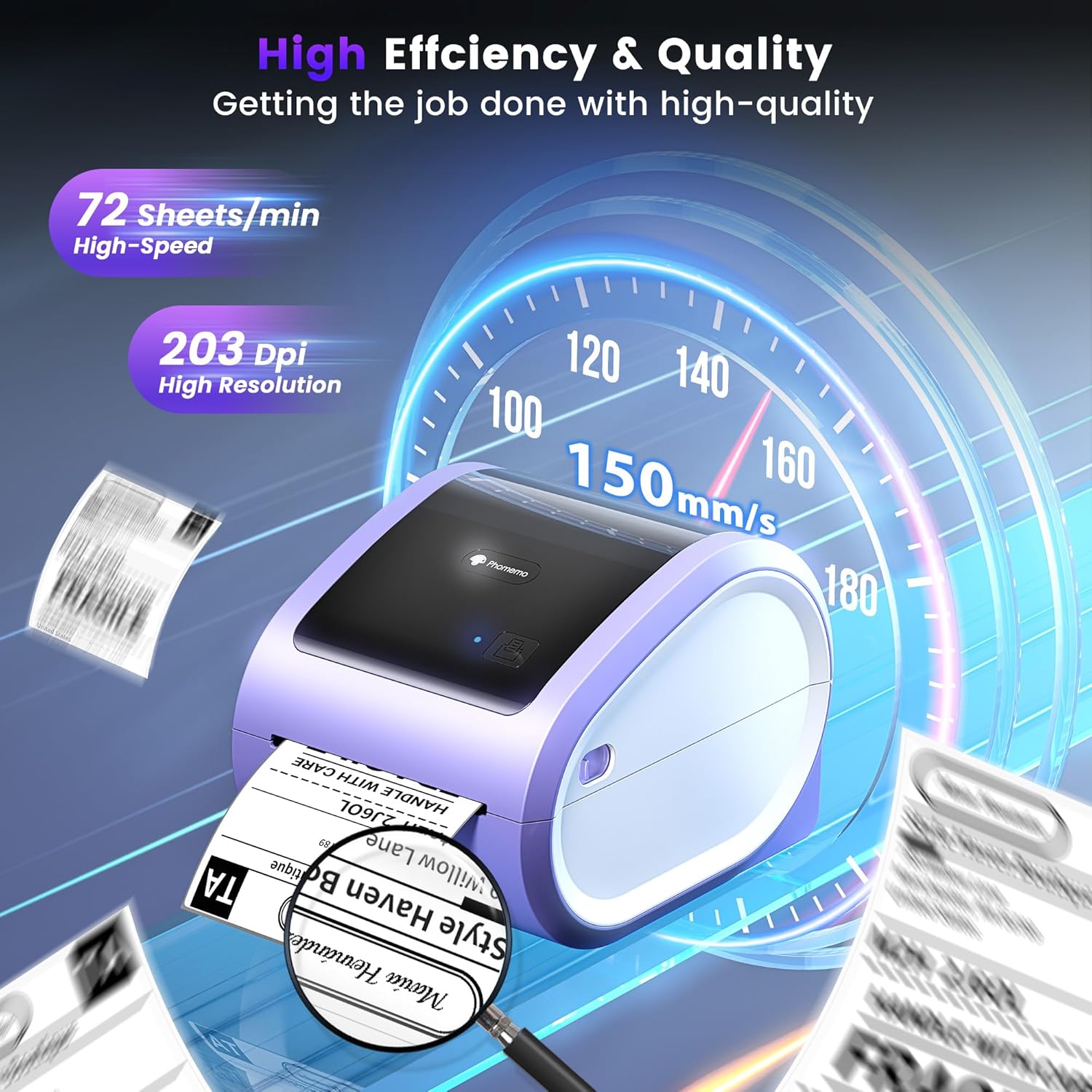
Figure 5: The Phomemo D520BT offers high efficiency and quality with a print speed of 150mm/s and 203 DPI resolution.

Figure 6: The Phomemo D520BT is compatible with various label sizes, from 1 inch to 4.6 inches wide.

Figure 7: The Phomemo D520BT supports multi-scenario applications for various labeling needs.

Figure 8: The Phomemo D520BT is compatible with all major shipping and sales platforms.
5. Održavanje
5.1 Čišćenje glave za ispis
Regular cleaning of the print head ensures optimal print quality and extends the printer's life.
- Isključite pisač i izvucite kabel za napajanje.
- Otvorite poklopac pisača.
- Lagano obrišite glavu za ispis alkoholnim štapićem ili mekom krpom koja ne ostavlja dlačiceamps izopropilnim alkoholom.
- Prije zatvaranja poklopca i uključivanja pisača, ostavite glavu za ispis da se potpuno osuši.
5.2 Skladištenje
Store the printer in a cool, dry place away from direct sunlight and extreme temperatures. Avoid exposing the printer to dust or moisture.
6. Rješavanje problema
If you encounter issues with your Phomemo D520BT printer, refer to the following common problems and solutions:
- Pisač se ne uključuje:
- Provjerite je li adapter za napajanje sigurno spojen i na pisač i na ispravnu utičnicu.
- Provjerite je li gumb za napajanje čvrsto pritisnut.
- Labels not printing or feeding incorrectly:
- Verify that labels are loaded correctly with the printing side facing up.
- Ensure there are no obstructions in the label path.
- Check if the label roll or stack is depleted.
- Poor print quality (faded, streaky, or blank labels):
- Očistite glavu za ispis kako je opisano u odjeljku 5.1.
- Pazite da koristite visokokvalitetne termalne etikete.
- Check print density settings in your printer preferences.
- Problemi s Bluetooth vezom:
- Ensure Bluetooth is enabled on your mobile device and the printer.
- Ponovno pokrenite i pisač i mobilni uređaj.
- Ensure you are within the Bluetooth range.
- Re-pair the printer through the Labelife app.
- Problemi s USB vezom:
- Provjerite je li USB kabel sigurno spojen i na pisač i na računalo.
- Ensure the correct printer drivers are installed.
- Pokušajte s drugim USB priključkom ili kabelom.
For further assistance, refer to the detailed video tutorials and user manuals available online, or contact Phomemo customer support.
7. Specifikacije
| Značajka | Specifikacija |
|---|---|
| Marka | Phomemo |
| Naziv modela | D520BT |
| Tehnologija povezivanja | Bluetooth, USB |
| Tehnologija tiska | Toplinski |
| Posebna značajka | Portable, Built-in Holder |
| Izlaz za pisač | Jednobojni |
| Maksimalna brzina ispisa | 150 mm/s (72 naljepnice/min) |
| Razlučivost ispisa | 203 DPI |
| Maksimalna širina ispisa | 4.6 inča |
| Težina artikla | 2.4 funti |
| Dimenzije proizvoda | 10.31"D x 10.31"Š x 7.87"V |
8. Jamstvo i podrška
Phomemo provides customer support to assist with any questions or issues you may encounter. For detailed warranty information, please refer to the warranty card included with your product or visit the official Phomemo website. Our customer support team is available via phone, email, or remote support.
For additional resources, including video tutorials and updated user manuals, please visit the Phomemo support page.


