1. Uvod
Thank you for choosing the Colesma 1.59" HD Smart Watch. This device is designed to enhance your daily life with features such as Bluetooth calling, comprehensive health monitoring, and fitness tracking. This manual provides detailed instructions to help you get started and make the most of your new smart watch.
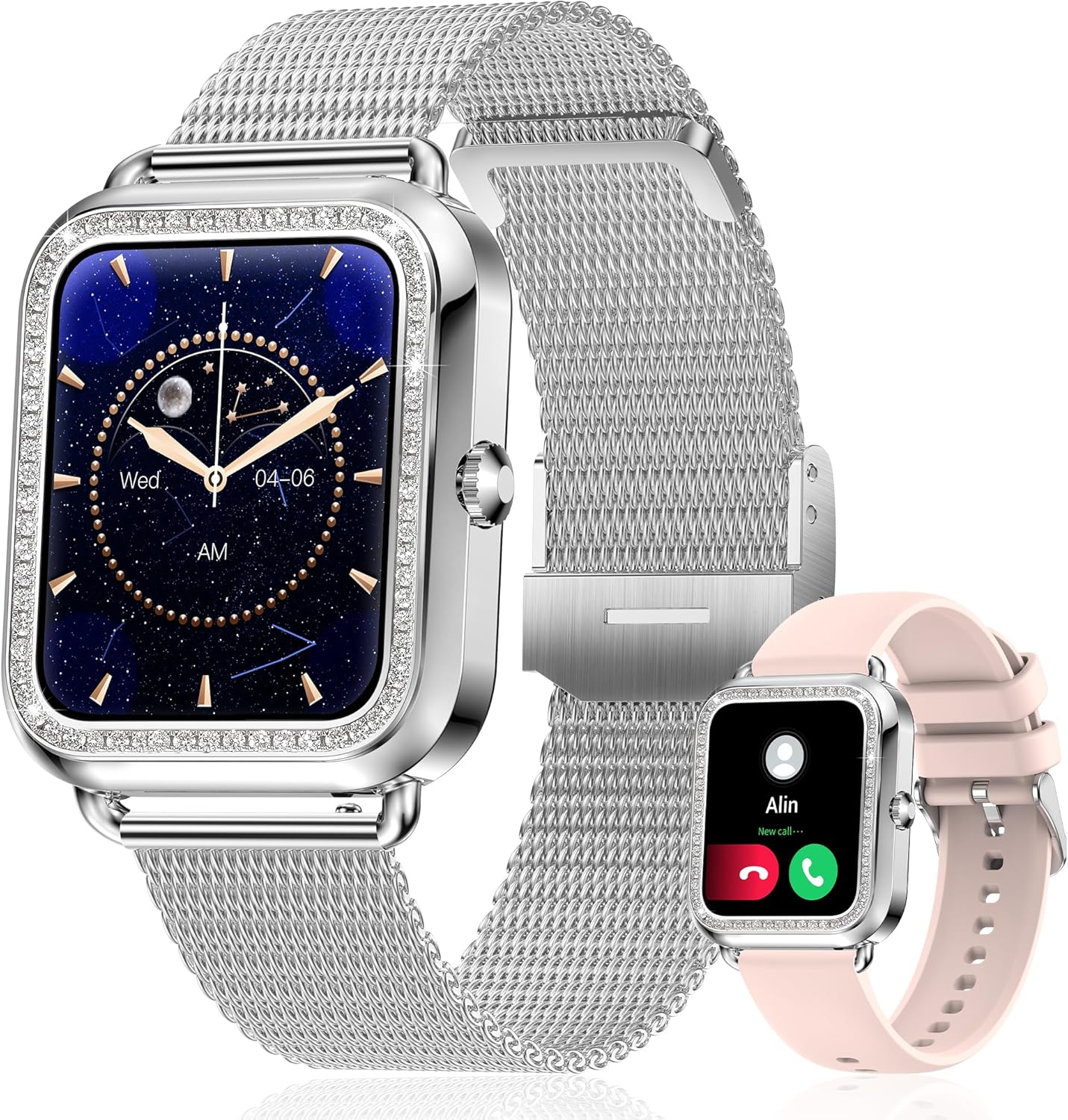
Figure 1: Colesma 1.59" HD Smart Watch

Figure 2: Key Features of the Colesma Smart Watch
2. Postavljanje
2.1 Što se nalazi u kutiji
- 1x Watch Body
- 2x Watch Bands (one metal, one silicone)
- 1x kabel za punjenje
- 1x korisnički priručnik

Slika 3: Sadržaj i dimenzije paketa
2.2 Instalacija remena
The watch comes with two interchangeable bands. Follow these steps to attach or remove the watch strap:
- To remove: Locate the small pin on the underside of the strap where it connects to the watch. Slide the pin inwards to release the strap.
- To install: Align one end of the strap's pin with the groove hole on the watch. Press the other side of the pin inwards, align it with the opposite groove, and release. Gently move the strap left and right to ensure it is securely fastened.
Video 1: How to Remove and Install the Watch Strap
2.3 Instalacija aplikacije i uparivanje uređaja
To unlock the full functionality of your smart watch, download and connect it to the FitCloudPro app on your smartphone.
- Provjerite je li Bluetooth omogućen na vašem pametnom telefonu.
- Download the 'FitCloudPro' app from the Google Play Store (for Android) or the App Store (for iOS). You can also scan the QR code provided in the product packaging or visit http://fitcloud.hetangsmart.com/qrcode/.
- Open the FitCloudPro app, navigate to the 'Device' section, and search for 'I68' to bind your watch.
- For call functionality: After binding the watch in the app, go to your phone's Bluetooth settings. Find 'Watch Call' in the list of available devices and connect to it. Once connected, you can make and receive calls directly from your watch.

Figure 4: App Download and Bluetooth Call Connection Steps
Video 2: Connecting the Call Bluetooth Feature
3. Upute za rad
3.1 Osnovna navigacija
The smart watch features a 1.59" HD full touch screen. Swipe left, right, up, or down to access different menus and functions. The side button typically serves as a power button or a return-to-home screen button.
3.2 Prilagođavanje izgleda sata
Personalize your watch with over 180 watch faces available in the FitCloudPro app, or create your own using your favorite photos.
- Open the FitCloudPro app and navigate to the 'Watchface' section.
- Browse available watch faces or select the option to customize with your own image.
- Choose your desired watch face and sync it to your watch.
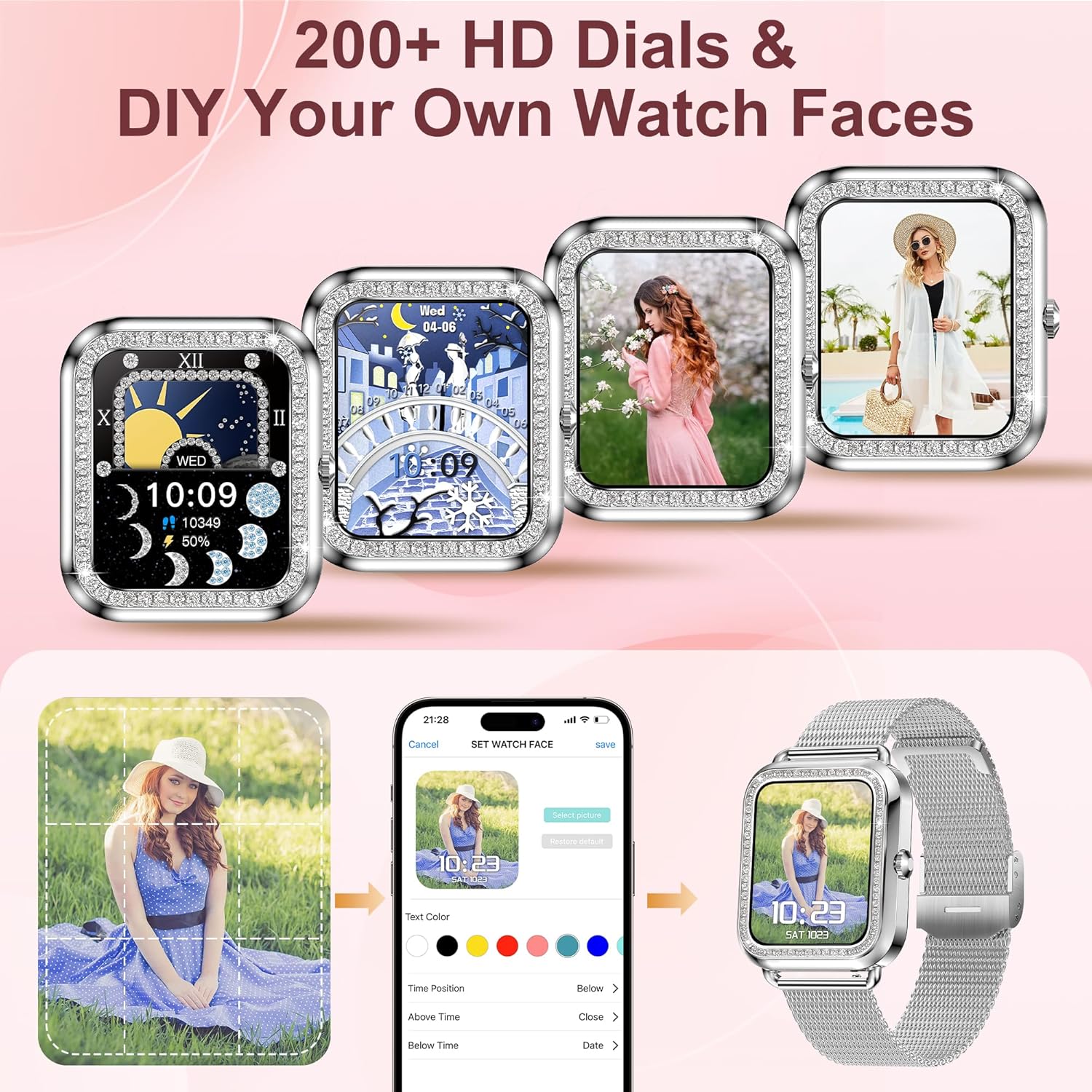
Slika 5: Mogućnosti prilagodbe izgleda sata
Video 3: How to DIY Your Watch Face
3.3 Call and Message Notifications
Once connected via Bluetooth, you can make/receive calls and get notifications from various apps (e.g., SMS, Facebook, WhatsApp, Instagram, X) directly on your watch. The watch saves call and message records.

Slika 6: Značajke Bluetooth obavijesti o pozivima i porukama
3.4 Glasovni asistent
Activate your phone's AI assistant (Siri, Bixby, Google, etc.) directly from your watch. This allows you to control music playback, set alarms, and perform other tasks using voice commands.

Figure 7: Bluetooth Call and AI Voice Assistant
3.5 Praćenje zdravlja
The watch features advanced sensors for continuous health monitoring. Data can be synced to the FitCloudPro app for analysis.
- Otkucaji srca: Praćenje otkucaja srca u stvarnom vremenu.
- Krvni tlak: Pratite krvni tlak.
- SpO2: Izmjerite razinu kisika u krvi.
- Monitor spavanja: Tracks sleep duration and identifies sleep states (deep, light, awake).
- Žensko zdravlje: Pruža praćenje menstrualnog ciklusa i podsjetnike.
Note: The monitoring data from the fitness watch is for reference only and cannot be used for medical purposes.

Figure 8: Health and Sleep Tracking

Figure 9: All-Day Health Monitoring

Figure 10: Women's Health Care Features
3.6 Fitness Tracking and Sports Modes
The watch records daily steps, distance, and calorie consumption. It supports over 120 sports modes, including cycling, running, yoga, and sit-ups, to help you track your workouts scientifically.

Figure 11: Activity Tracking

Slika 12: Više sportskih načina rada
3.7 Raise to Wake
Enable the 'Raise to Wake' feature in the FitCloudPro app to automatically turn on the screen when you raise your wrist. You can set specific time periods for this feature to avoid disturbances, for example, during sleep.
Video 4: How to Set Up the Raise to Wake Feature
3.8 Ostale značajke
The smart watch includes additional useful functions:
- Vremenska prognoza: Primajte vremenske informacije u stvarnom vremenu.
- Kontrola glazbe: Upravljajte reprodukcijom glazbe na svom telefonu.
- Kontrola kamere: Koristite sat kao daljinski okidač za kameru telefona.
- Pronađi telefon: Locate your misplaced phone by triggering an alarm.
- Sedentary & Drink Reminders: Primajte upozorenja za kretanje ili pijenje vode.

Figure 13: Utility Features
4. Održavanje
4.1 Punjenje
Charge your watch using the provided magnetic charging cable. A full charge typically takes 2.5 hours, providing 3-7 days of normal use and up to 25 days of standby time.
Important: If using a charging adapter, the recommended voltage is 5V. Do not use power adapters exceeding 5V/2A to prevent damage.

Slika 14: Punjenje i vijek trajanja baterije
4.2 Otpornost na vodu
The watch is IP67 waterproof, meaning it can withstand splashes, rain, and brief immersion. It is suitable for daily activities like washing hands.
Caution: Not recommended for use in hot water, saunas, or steam rooms, as high temperatures and steam can compromise the water resistance.
5. Rješavanje problema
If you encounter any issues with your Colesma Smart Watch, please refer to the following common solutions or contact customer support.
- Sat se ne uključuje: Ensure the watch is fully charged. Connect it to the charging cable and allow it to charge for at least 30 minutes before attempting to power it on.
- Ne može se upariti s telefonom: Ensure Bluetooth is enabled on your phone and the watch. Make sure the FitCloudPro app is installed and you are attempting to pair through the app's device management section. For call functionality, remember to connect 'Watch Call' separately in your phone's Bluetooth settings.
- Netočni zdravstveni podaci: Ensure the watch is worn snugly on your wrist, not too tight or too loose. Clean the sensor on the back of the watch regularly. Remember that data is for reference only and not for medical diagnosis.
- Obavijesti se ne prikazuju: Check app permissions for FitCloudPro on your phone to ensure it has access to notifications. Verify that notifications are enabled within the FitCloudPro app settings for specific applications.
- Kratko trajanje baterije: Battery life can vary based on usage. Frequent use of call functions, continuous health monitoring, and high screen brightness can reduce battery duration. Try reducing screen brightness or disabling continuous monitoring if not needed.
6. Specifikacije
| Značajka | Detalj |
|---|---|
| Veličina zaslona | 1.59 inča |
| Operativni sustav | Android i iOS |
| Tehnologija povezivanja | Bluetooth |
| Vodootpornost | IP67 |
| Kapacitet baterije | 210 Miliamp sati |
| Težina artikla | 7 unci |
| Broj modela artikla | bddb0dfb-c656-4a86-9089-b5b81030e49d |
| Proizvođač | Colesma |
7. Jamstvo i podrška
Colesma is committed to providing excellent customer service and product support.
- Doživotna podrška: We offer lifetime support and solutions for our products.
- 24-satna usluga: Quick service is available via email.
- 30-dnevna politika povrata: Iskoristite 30-dnevnu politiku povrata bez navođenja razloga.
- 2-Year Replacement: A 2-year free replacement policy is provided for eligible issues.
For further assistance, please contact Colesma customer support through the contact information provided with your purchase or on the official Colesma webmjesto.


