Uvod
This manual provides detailed instructions for the setup, operation, maintenance, and troubleshooting of your CHONCHOW Wireless Gaming Keyboard, Model US221. Please read this manual thoroughly before using the product to ensure optimal performance and longevity.
Sadržaj paketa
- CHONCHOW Wireless Gaming Keyboard (Model US221)
- USB prijemnik
- USB kabel za punjenje
- Korisnički priručnik (ovaj dokument)
Upute za postavljanje
1. Punjenje tipkovnice
The keyboard is equipped with a 2500mAh built-in rechargeable battery. Before initial use, or if the battery is low, connect the provided USB charging cable to the keyboard's charging port and to a 5V2A charging block (not included) or a computer's USB port. A full charge ensures extended usage.
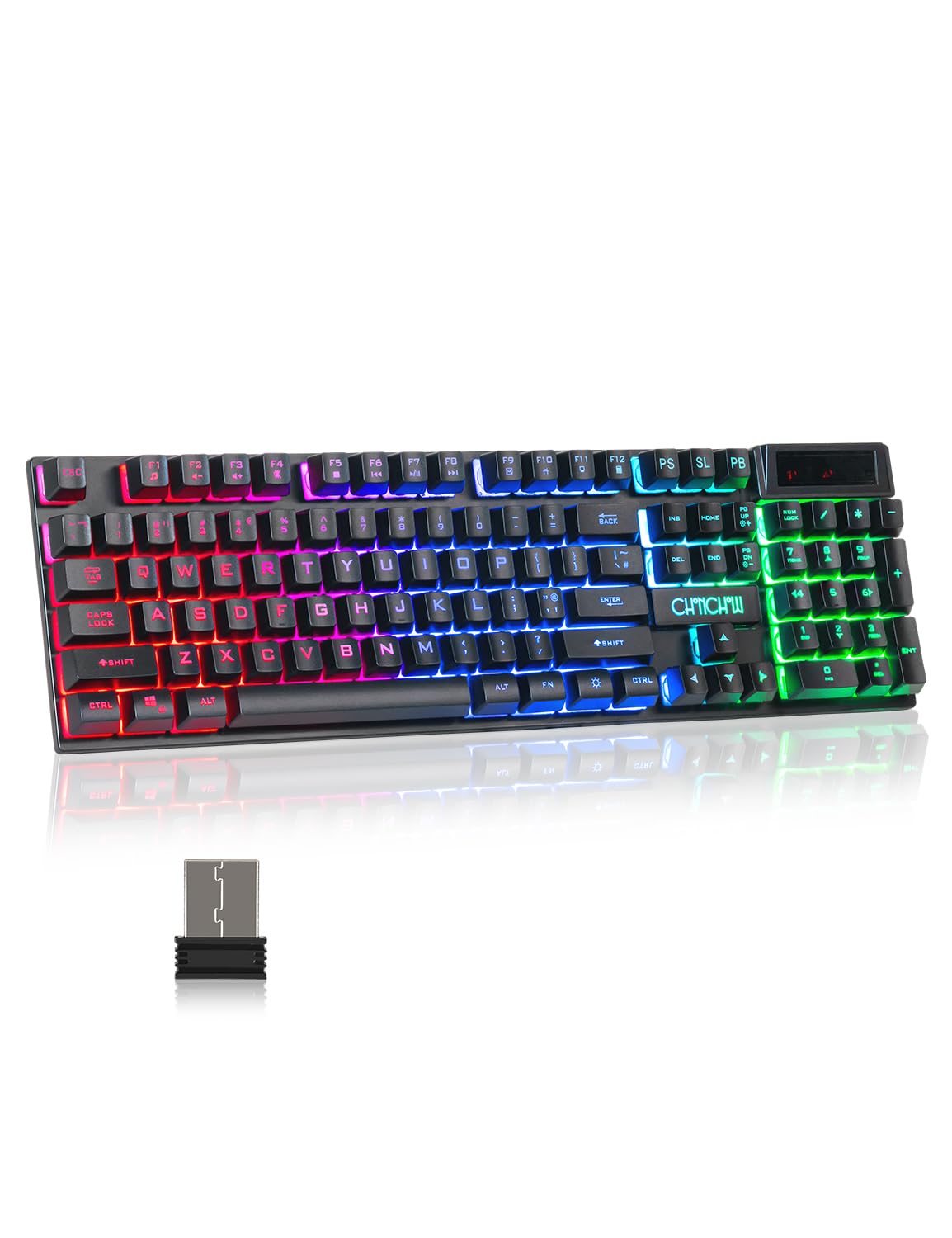 Image: The keyboard features a 2500mAh built-in battery for long-lasting wireless operation and supports a wireless range of up to 10 meters.
2. Spajanje USB prijemnika
The CHONCHOW US221 keyboard uses a 2.4GHz wireless connection. To establish a connection:
- Locate the USB receiver, typically stored in a compartment on the keyboard or included separately in the package.
- Plug the USB receiver into an available USB port on your computer, PC, PS4, PS5, Xbox One, or laptop.
- The keyboard should connect automatically. No additional drivers are required for installation.
The wireless connection provides an effective distance of 10 meters (approximately 33 feet) with no noticeable delay, offering a response speed comparable to a wired keyboard.
 Image: This illustration highlights the keyboard's 2.4GHz wireless technology, providing a stable connection up to 10 meters (33 feet) via a USB receiver.
Upute za rad
1. Upravljanje pozadinskim osvjetljenjem
The keyboard features rainbow LED backlighting with adjustable brightness and breathing speed. All keys are backlit, allowing for accurate key identification in low-light conditions. The keycap characters are designed for clear and uniform light transmission and will not fade.
- Podešavanje svjetline: Pritisnite Fn + Stranica gore za povećanje svjetline i Fn + Stranica dolje to decrease brightness. There are 5 levels of adjustable brightness.
- Promjena načina osvjetljenja: The keyboard offers various lighting modes. Refer to the keyboard's function keys for specific mode toggles (e.g., Fn + Scroll Lock, Fn + Home, etc., depending on the specific model's layout).
 Image: This visual demonstrates the five adjustable brightness levels of the keyboard's LED backlighting, controlled using the Fn + Page Up and Fn + Page Down key combinations.
2. Ergonomski dizajn
The keyboard is designed for comfort during extended use. It features arc keycaps, a stepped layout, foldable feet, and crater-switch keys. This wireless membrane keyboard provides a comfortable typing experience and improves keystroke accuracy.
 Slika: Detaljna view of the keyboard's keycaps, emphasizing their precision engineering, clear and uniform backlighting, and ergonomic curvature for comfortable typing.
3. Automatic Sleep Function
To conserve battery life, the keyboard will automatically enter sleep mode after 5 minutes of no operation. To wake the keyboard, press any key.
Održavanje
Regular maintenance helps ensure the longevity and performance of your keyboard.
- Čišćenje: Use a soft, dry cloth to wipe the surface of the keyboard. For deeper cleaning, use a can of compressed air to remove dust and debris from between the keys. Avoid using harsh chemicals or abrasive materials.
- Skladištenje: Kada se tipkovnica ne koristi dulje vrijeme, pohranite je na hladnom i suhom mjestu, dalje od izravne sunčeve svjetlosti i ekstremnih temperatura.
- Njega baterije: Avoid fully discharging the battery frequently. Charge the keyboard when the battery indicator shows low power.
Rješavanje problema
Tipkovnica ne reagira
- Provjerite bateriju: Ensure the keyboard is sufficiently charged. Connect the charging cable and allow it to charge for a period.
- Provjerite USB prijemnik: Verify that the USB receiver is securely plugged into a functional USB port on your device. Try a different USB port if necessary.
- Ponovno uspostavljanje veze: Isključite USB prijemnik, pričekajte nekoliko sekundi, a zatim ga ponovno uključite.
- Udaljenost: Ensure the keyboard is within the 10-meter effective range of the USB receiver and there are no significant obstructions.
- smetnje: Move the keyboard away from other wireless devices that might cause interference.
Backlight Not Working or Dim
- Podešavanje svjetline: Koristiti Fn + Stranica gore za povećanje svjetline.
- Provjerite bateriju: Slaba baterija može utjecati na performanse pozadinskog osvjetljenja. Napunite tipkovnicu.
- Promjena načina rada: Cycle through lighting modes to ensure it's not in an 'off' or 'dim' mode.
Tipke se ne registriraju ili se tipkaju dvaput
- Čisti ključevi: Dust or debris under the keycaps can cause issues. Use compressed air to clean around the affected keys.
- Razina baterije: Ensure the keyboard has adequate charge.
- Stabilnost veze: Follow steps for "Keyboard Not Responding" to ensure a stable wireless connection.
Tehnički podaci
| Broj modela | US221 |
| Marka | CHONCHOW |
| Tehnologija povezivanja | 2.4 GHz bežično (USB prijemnik) |
| Bežični raspon | Do 10 metara (33 stope) |
| Kapacitet baterije | 2500mAh (punjiva) |
| Ulaz za punjenje | 5V2A (recommended) |
| Automatsko spavanje | Nakon 5 minuta neaktivnosti |
| Vrsta ključa | Crater-switch (membrane) |
| Pozadinsko osvjetljenje | Rainbow LED, 5 adjustable brightness levels |
| Kompatibilni uređaji | Windows, Mac, PC, PS4, PS5, Xbox One, Laptop |
| Težina artikla | 1.61 funti |
| Dimenzije paketa | 17.56 x 5.43 x 1.65 inča |
Jamstvo i podrška
CHONCHOW offers a 30-day refund or replacement for quality issues and a 12-month warranty for the US221 Wireless Gaming Keyboard.
For any quality issues or support inquiries, please contact CHONCHOW customer service. Provide your product model (US221) and details of the issue for prompt assistance.


