Uvod
This manual provides detailed instructions for the setup, operation, and maintenance of your Lotus Smartwatch 50050/4. Please read this manual thoroughly before using your device to ensure proper functionality and to maximize its features.
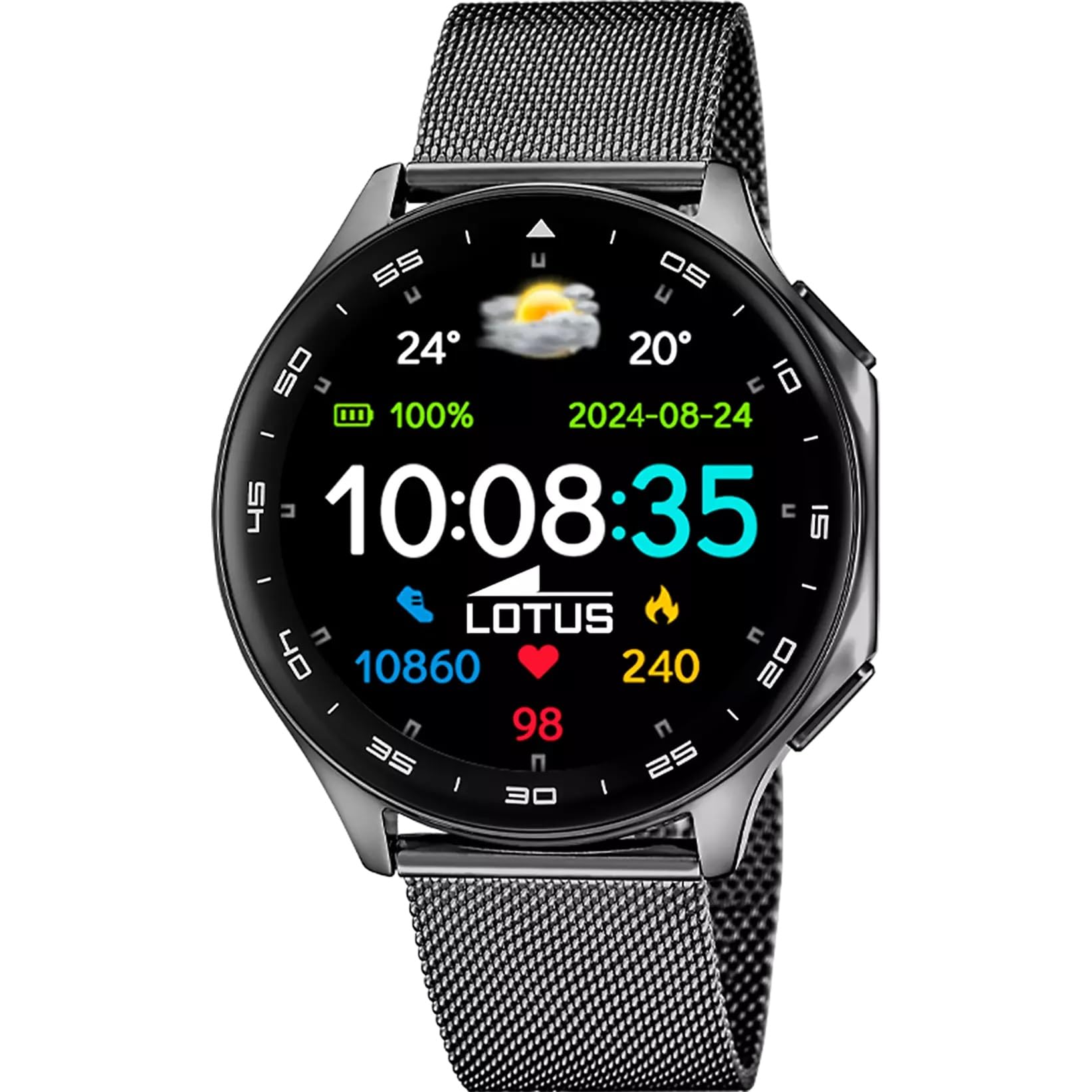
The Lotus Smartwatch 50050/4 is an outdoor sports watch designed for active lifestyles. It features a durable zinc alloy case, a black Milanese steel mesh strap, and a digital display. The watch offers a range of functions including sports tracking, health monitoring, and smart notifications.
Što je u kutiji
- Lotus Smartwatch 50050/4
- Kabel za punjenje
- Korisnički priručnik (ovaj dokument)
- Dodatni remen
Postavljanje
1. Punjenje pametnog sata
Before initial use, fully charge your smartwatch. Connect the charging cable to the charging port on the back of the watch and plug the other end into a USB power adapter (not included) or a computer's USB port. The watch display will indicate charging status.
Bilješka: Use a standard 5V/1A USB charger. Overcharging or using incompatible chargers may damage the device.
2. Uključivanje/isključivanje
- Za uključivanje: Press and hold the side button for a few seconds until the Lotus logo appears.
- Za isključivanje: Pritisnite i držite bočnu tipku, a zatim na zaslonu odaberite "Isključi".
3. Instalacija i uparivanje aplikacije
To unlock the full potential of your smartwatch, download the official Lotus Smartwatch application on your smartphone. The app is compatible with Android devices.
- Tražiti the "Lotus Smartwatch" app in your smartphone's app store (Google Play Store for Android).
- Instalirajte aplikaciju.
- Otvorite aplikaciju i slijedite upute na zaslonu za izradu računa ili prijavu.
- Omogućite Bluetooth na svom pametnom telefonu.
- In the app, navigate to the device pairing section and select your Lotus Smartwatch 50050/4 from the list of available devices.
- Potvrdite zahtjev za uparivanje i na pametnom telefonu i na pametnom satu.
Once paired, the watch will synchronize time, date, and other settings with your smartphone.
Upute za rad
Osnovna navigacija
- Zaslon osjetljiv na dodir: Swipe left, right, up, or down to navigate through menus and functions. Tap to select an item.
- Bočni gumb: Press to return to the previous screen or to the watch face. Press and hold for power options.
Ključne funkcije
- Sportski načini rada: Access various sports modes (e.g., running, walking, cycling) to track your activity, including steps, calories burned, and distance.
- Praćenje zdravlja:
- Otkucaji srca: Pratite svoj otkucaj srca u stvarnom vremenu.
- Kisik u krvi: Izmjerite razinu kisika u krvi.
- Praćenje spavanja: Analyze your sleep patterns (deep sleep, light sleep, awake time).
- Vježbe disanja: Vođene vježbe disanja za opuštanje.
- Obavijesti: Receive notifications for incoming calls, SMS messages, and app alerts directly on your watch. You can reject calls from the watch.
- Kontrola glazbe: Control music playback on your connected smartphone (play, pause, skip tracks).
- Vrijeme: View trenutni vremenski uvjeti i prognoze.
- Alarmi i mjerači vremena: Set alarms, use the stopwatch, or set a countdown timer.
- Daljinski upravljač kamere: Use your watch as a remote shutter for your smartphone camera.
- Video Calculator: Access a video calculator function.
- AI Voice Calculator: Utilize an AI voice-activated calculator.
- Tražilica telefona: Locirajte upareni pametni telefon tako da ga natjerate da zvoni.
- Svjetiljka: Aktivirajte zaslon kao svjetiljku.
- Dial Customization: Change the watch face (dial) through the watch settings or the companion app.
- Ažuriranje firmvera: Update the watch's software via the companion app to ensure optimal performance and access new features.
- Language, Time, and Date: Adjust these settings through the watch or the companion app.
Održavanje
Čišćenje i njega
- Obrišite zaslon i kućište sata mekom, suhom krpom koja ne ostavlja dlačice.
- Za tvrdokorne mrlje, malo dampNamočite krpu vodom. Nemojte koristiti jake kemikalije ili abrazivne materijale.
- Prije punjenja provjerite jesu li kontakti za punjenje čisti i suhi.
Vodootpornost (IP65)
The Lotus Smartwatch 50050/4 has an IP65 rating, meaning it is protected against dust ingress and low-pressure water jets from any direction. This rating indicates resistance to splashes and light rain. It is not suitable for swimming, showering, or submersion in water. Exposure to high-pressure water or prolonged submersion may cause damage.
Zamjena remena
The watch comes with an additional strap. To replace the strap, locate the quick-release pins on the underside of the strap where it connects to the watch case. Slide the pin to detach the strap, then align the new strap and slide the pin back into place to secure it.
Rješavanje problema
Sat se ne uključuje
- Provjerite je li sat potpuno napunjen. Spojite ga na punjač na najmanje 30 minuta.
- Try pressing and holding the side button for 10-15 seconds to force a restart.
Nije moguće upariti sa pametnim telefonom
- Provjerite je li Bluetooth omogućen na vašem pametnom telefonu.
- Ensure the watch is within range of your smartphone (typically 10 meters).
- Ponovno pokrenite i pametni telefon i pametni sat.
- Clear the Bluetooth cache on your smartphone (if applicable) and try pairing again.
- Ensure the Lotus Smartwatch app is updated to the latest version.
Netočni zdravstveni podaci
- Pazite da sat čvrsto prianja uz zapešće, ali ne previše stegnut.
- Keep the sensor on the back of the watch clean and free from debris.
- Okolišni čimbenici i individualna fiziologija mogu utjecati na točnost senzora.
Vraćanje na tvorničke postavke
If you experience persistent issues, a factory reset may resolve them. This will erase all data on the watch and restore it to its original settings. Consult the watch's settings menu or the companion app for the factory reset option.
Tehnički podaci
| Broj modela | 50050/4 |
| Marka | Lotos |
| Veličina zaslona | 46.7 mm |
| Oblik | Krug |
| Materijal kućišta | Legura cinka |
| Materijal remena | Milanese Steel Mesh |
| Vodootpornost | IP65 (Splash and dust resistant) |
| Povezivost | Bluetooth |
| Kompatibilan OS | Android (for companion app) |
| GPS | Ne |
| Posebne značajke | Advanced sport and health functions |
Jamstvo i podrška
The Lotus Smartwatch 50050/4 comes with a Jamstvo 3 godine from the date of purchase. This warranty covers manufacturing defects. It does not cover damage caused by misuse, accidents, unauthorized modifications, or failure to follow the instructions in this manual, including water damage beyond the specified IP65 rating.
For warranty claims or technical support, please contact your authorized Lotus retailer or visit the official Lotus webstranica za informacije o korisničkoj službi.
Politika povrata: If purchased from Amazon, the product is subject to a 30-day return policy for refund or replacement, as per Amazon's terms.
Slika proizvoda