Uvod
This manual provides essential information for setting up, operating, maintaining, and troubleshooting your Apple Watch Series 11 GPS 42mm. Please read these instructions carefully to ensure proper use and to maximize the features of your device. The Apple Watch Series 11 is designed to enhance your daily life with advanced health monitoring, fitness tracking, and seamless connectivity.
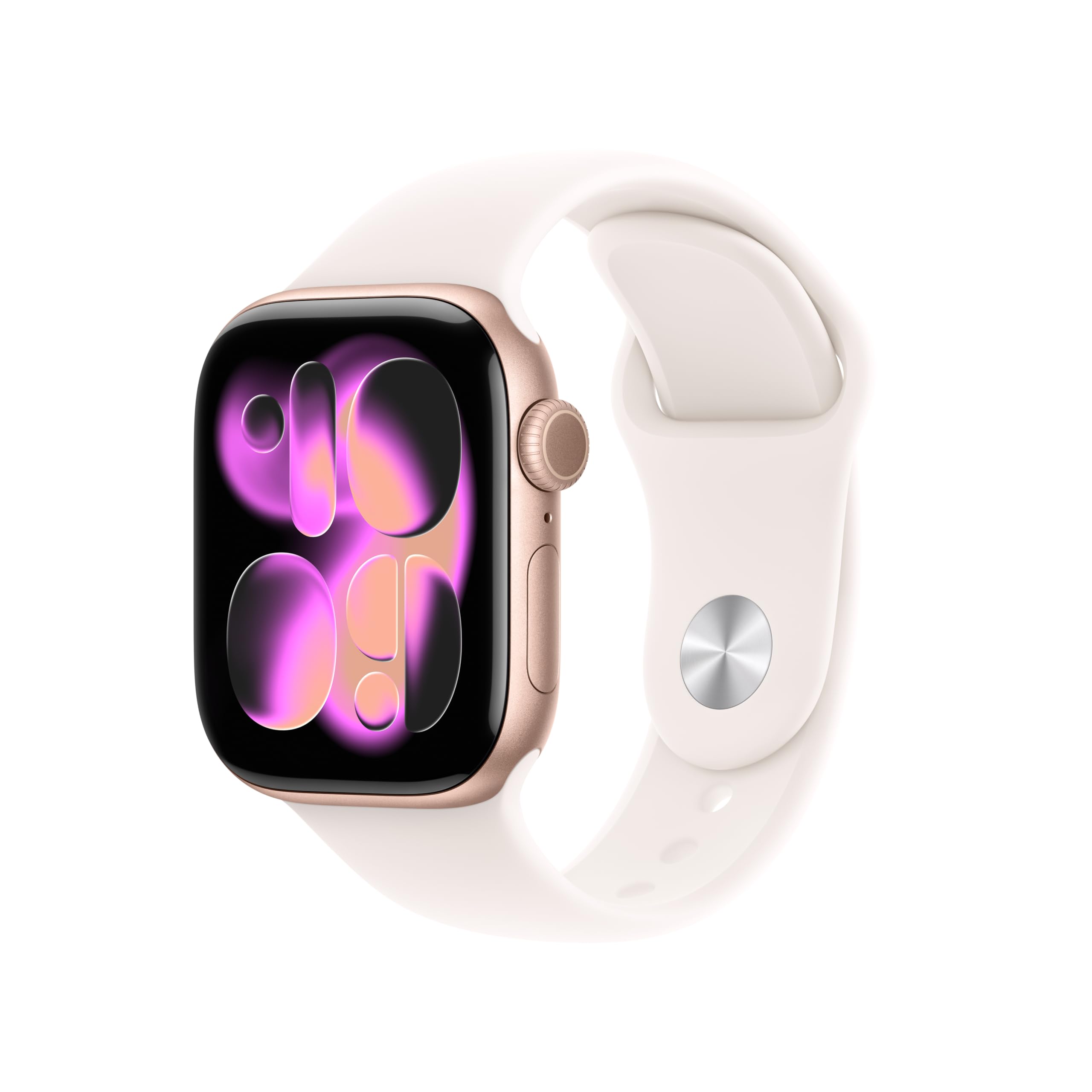
Image: A person running, showcasing the Apple Watch Series 11 in use during physical activity.
Što je u kutiji
Upon unboxing your Apple Watch Series 11, verify that all components are present:
- Apple Watch Series 11 GPS 42mm Rose Gold Aluminium Case
- Light Blush Sport Band
- 1m magnetni kabel za punjenje

Image: The Apple Watch Series 11, a Light Blush Sport Band, and a USB-C Magnetic Fast Charging Cable, illustrating the package contents.
Postavljanje
Initial Pairing with iPhone
- Napunite svoj Apple Watch: Connect the magnetic charging cable to your Apple Watch and a power adapter. Allow it to charge until it powers on.
- Uključivanje: Pritisnite i držite bočnu tipku dok se ne pojavi Appleov logotip.
- Open Apple Watch App: On your iPhone, open the Apple Watch app. If you don't have it, download it from the App Store.
- Proces uparivanja: Tap 'Start Pairing' on your iPhone. Position your iPhone so that the Apple Watch appears in the viewfinder in the Apple Watch app.
- Slijedite upute na zaslonu: Complete the setup by following the prompts on both your iPhone and Apple Watch. This includes setting up a passcode, installing apps, and configuring health and activity settings.
Band Attachment
To attach the Sport Band, slide each band piece into the watch case until you hear a click. Ensure the bands are securely fastened before wearing the watch.
Upravljanje Apple Watchom
Praćenje zdravlja
The Apple Watch Series 11 offers comprehensive health insights:
- Hypertension Notifications: The watch can detect signs of chronic high blood pressure and provide notifications.
- Sleep Score: Track and understand your sleep quality with detailed sleep scores and stages.
- EKG aplikacija: Take an electrocardiogram anytime to check for signs of atrial fibrillation.
- Nadziranje otkucaja srca: Receive notifications for high, low, or irregular heart rhythms.
- Aplikacija za kisik u krvi: Izmjerite razinu kisika u krvi po potrebi.
- Aplikacija Vitals: View overnight health metrics for a holistic view vašeg blagostanja.
- Praćenje ciklusa: Monitor your menstrual cycle with retrospective ovulation estimates.

Image: The Apple Watch Series 11 showing current heart rate (68 BPM) and an 'Overnight Vitals' screen with typical sleep data.
Praćenje kondicije
Your Apple Watch is a powerful fitness partner:
- Prstenovi aktivnosti: Pratite svoje dnevno kretanje, vježbanje i ciljeve u stajanju.
- Aplikacija za vježbanje: Access advanced metrics for various workouts, including Pacer, Heart Rate Zones, and training load.
- Apple Fitness+: Enjoy three months of Apple Fitness+ free with your purchase.

Image: The Apple Watch Series 11 displaying activity rings (Move, Exercise, Stand) and a screen for an 'Outdoor Run' workout.
Povezivost i komunikacija
Ostanite povezani u pokretu:
- GPS: Ugrađeni GPS za precizno praćenje lokacije tijekom vježbanja i navigacije.
- Obavijesti: Primajte poruke, pozive i obavijesti aplikacija izravno na svom zapešću.
- Siri: Use Siri with on-device processing for quick commands and information.
- Glazba: Listen to music stored on your watch or streamed from your iPhone.
- Wi-Fi i Bluetooth: Connects to your iPhone via Bluetooth 5.3 and Wi-Fi 4 (802.11n).

Image: A close-up of a person's hand adjusting the Apple Watch Series 11 on their wrist, demonstrating interaction with the device's interface.
Zaslon i baterija
The Apple Watch Series 11 features a stunning and durable display with extended battery life:
- Uvijek uključeni Retina zaslon: Wide-angle OLEDs and LTPO3 technology provide up to 2,000 nits maximum brightness.
- Izdržljivost: Ion-X front glass with 2x scratch resistance (aluminum cases).
- Trajanje baterije: Up to 24 hours of normal use.
- Brza naplata: Achieve up to 80% charge in about 30 minutes, or 8 hours of normal use in just 15 minutes.

Image: A collage showing four key features: hypertension notifications, 24-hour battery life indicator, sleep score display, and the superdurable display of the Apple Watch Series 11.
Sigurnosne značajke
Your Apple Watch includes important safety functions:
- Hitni SOS: Quickly call emergency services.
- Otkrivanje sudara: Automatski detektira teške prometne nesreće i povezuje vas s hitnim službama.
- Detekcija pada: Detects hard falls and can initiate an emergency call if you are unresponsive.
- Prijava: Automatically notifies a loved one when you arrive at your destination.
Održavanje
Čišćenje Apple Watcha
- Isključivanje: Isključite Apple Watch i odspojite ga s punjača.
- Obrišite: Use a soft, lint-free cloth to wipe the watch. If necessary, lightly dampu krpu sa svježom vodom.
- Avoid Soaps: Ne koristite sapune, sredstva za čišćenje, abrazivne materijale ili komprimirani zrak.
- Temeljito osušite: Prije punjenja ili nošenja provjerite je li sat potpuno suh.
Vodootpornost
The Apple Watch Series 11 has a water resistance rating of 50m and is swimproof. It is also IP6X dust resistant. While designed for water exposure during activities like swimming, it is not recommended for scuba diving, waterskiing, or other activities involving high-velocity water or submersion below shallow depths. Water resistance is not a permanent condition and may diminish over time.
Rješavanje problema
Uobičajeni problemi i rješenja
- Sat se ne uključuje: Ensure the watch is charged. Connect it to the magnetic charging cable and a power source. If it still doesn't turn on, try a force restart (press and hold both the side button and Digital Crown for at least 10 seconds until you see the Apple logo).
- Problemi s uparivanjem: Ensure your iPhone's Bluetooth is on and both devices are close to each other. Restart both your iPhone and Apple Watch. If issues persist, unpair the watch from your iPhone (if previously paired) and attempt to pair again.
- Netočni zdravstveni podaci: Ensure the watch is worn snugly on your wrist, but not too tight. Clean the back of the watch regularly to ensure proper sensor contact. Update watchOS to the latest version.
- Slabo trajanje baterije: Check for apps running in the background. Reduce screen brightness or enable Low Power Mode. Ensure watchOS is up to date.
- Aplikacije ne reagiraju: Force quit the app by pressing the side button, then swipe the app to the left and tap the 'X' button. Reopen the app. If the issue continues, restart your Apple Watch.
Tehnički podaci
| Značajka | Detalj |
|---|---|
| Broj modela | MEU04LW/A |
| Dimenzije proizvoda | 9.4 x 3 x 1.2 inča |
| Težina artikla | 1.12 unci |
| Proizvođač | Jabuka |
| Operativni sustav | watchOS |
| Kapacitet pohrane memorije | 64 GB |
| Posebne značajke | Activity Tracker, Always On Display, Cycle Tracking, GPS, Heart Rate Monitor |
| Tehnologija povezivanja | GPS |
| Standard bežične komunikacije | 802.11a/g/n/ac, Bluetooth 5.3 |
| Sastav baterije | Litij ion |
| GPS | Built-in GPS (L1 GPS, GNSS, Galileo, QZSS and BeiDou) |
| Veličina zaslona | 42 milimetara |
| Materijal | Aluminium case (Rose Gold) |
| Prikaz | Always-On Retina display with wide-angle OLEDs and LTPO3, Ion-X front glass with 2x scratch resistance, Up to 2,000 nits max brightness |
| Čip | S10 SiP s 64-bitnim dvojezgrenim procesorom, 4-jezgrenim Apple Neural Engineom |
| Health and Wellness Sensors | Electrical heart sensor, Third-generation optical heart sensor, Blood oxygen sensor, Temperature sensor |
| Izdržljivost | Water resistance 50m (swimproof), Dust Resistance IP6X |
| Snaga i trajanje baterije | Up to 24 hours normal use, Up to 38 hours in Low Power Mode, Fast-charge capable |
Jamstvo i podrška
Informacije o jamstvu
Your Apple Watch Series 11 is covered by Apple's standard limited warranty. This warranty typically covers manufacturing defects for a specified period from the date of purchase. For detailed terms and conditions, including coverage duration and limitations, please refer to the warranty documentation included with your product or visit the official Apple webmjesto.
Korisnička podrška
For technical assistance, service, or additional information, please contact Apple Support. You can find support resources, including online guides, FAQs, and contact options, on the official Apple Support website. It is recommended to have your device's serial number available when contacting support.
Mrežna podrška: support.apple.com/watch