1. Uvod
Thank you for choosing the SOVMIKU 4K NVR 5MP PoE Camera System. This system provides advanced surveillance capabilities with 4K NVR recording, 5MP PoE cameras featuring human detection, 300° pan and 90° tilt functionality, auto-tracking, and two-way audio. Designed for home and business security, this manual will guide you through the installation, operation, and maintenance of your new security system.
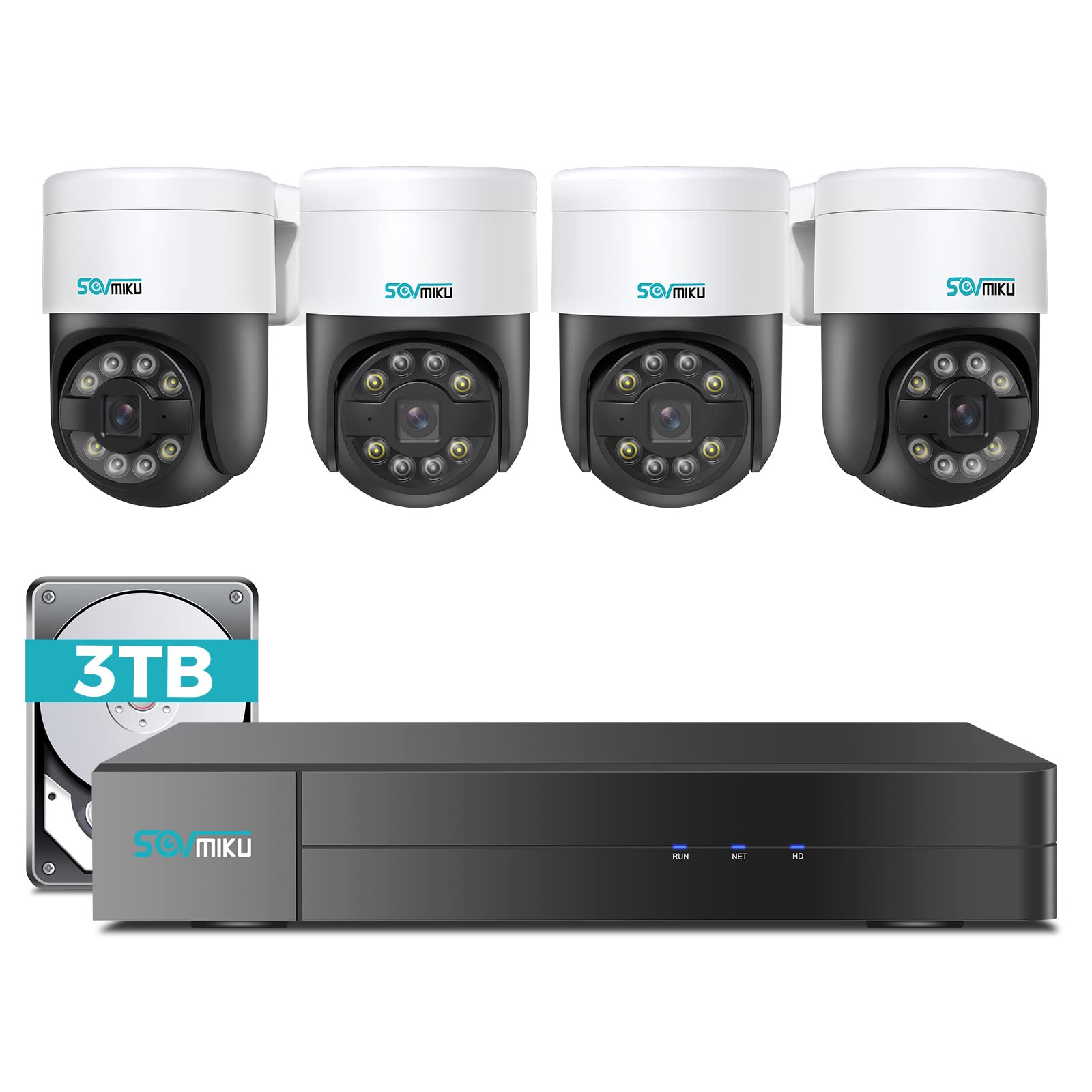
Slika 1.1: Gotovoview of the SOVMIKU 4K NVR 5MP PoE Camera System components.
2. Sadržaj paketa
Please check the package contents carefully upon opening. If any items are missing or damaged, contact SOVMIKU customer support.
- 1x 4K Network Video Recorder (NVR) with 3TB HDD
- 4x 5MP PoE Outdoor Security Cameras (PTZ, IP66 rated)
- 1x adapter za napajanje NVR-a
- 1x USB miš
- 1x HDMI kabel
- 4x Ethernet Cables (for cameras)
- 4x seta vijaka za montažu
- 1x Vodič za brzi početak
- 1x Warning Sticker Set

Image 2.1: Illustration of typical package contents for the SOVMIKU PoE Camera System.
3. Postavljanje
3.1 Početno postavljanje NVR-a
- Spoji monitor: Spojite NVR na monitor ili TV pomoću priloženog HDMI kabela.
- Spoji miš: Uključite USB miš u USB priključak na NVR-u.
- Poveži mrežu: Connect the NVR to your router using an Ethernet cable for internet access and remote viewing.
- Priključite napajanje: Plug the NVR power adapter into the NVR and then into a power outlet. The NVR will power on automatically.
- Initial Wizard: Follow the on-screen setup wizard to configure language, date/time, password, and network settings.

Image 3.1: Diagram showing NVR connections to monitor, mouse, network, and power.
3.2 Instalacija kamere
- Mjesto montaže: Choose a suitable location for each camera, ensuring good coverage and a stable mounting surface. Consider the camera's IP66 rating for outdoor use.
- Izbušite rupe: Use the provided mounting template to mark and drill holes for the camera base. Insert wall anchors if necessary.
- Sigurna kamera: Pričvrstite bazu kamere na površinu za montažu pomoću priloženih vijaka.
- Spojite PoE kabel: Connect one end of an Ethernet cable to the camera's PoE port and the other end to an available PoE port on the NVR. The camera will power on and connect automatically.
- Podešavanje kuta: Loosen the adjustment screws on the camera to set the desired pan, tilt, and rotation angle. Tighten the screws once positioned.

Image 3.2: Step-by-step guide for mounting a PoE camera.
3.3 Postavljanje mobilne aplikacije
- Preuzmi aplikaciju: Tražiti the official SOVMIKU security app in your device's app store (iOS or Android).
- Registrirajte račun: Otvorite aplikaciju i registrirajte novi korisnički račun.
- Dodaj uređaj: Follow the in-app instructions to add your NVR system. This typically involves scanning a QR code on the NVR or manually entering its device ID.
- Živjeti View: Nakon što ga dodate, možete view live feeds from your cameras, access playback, and control PTZ functions remotely.
4. Upravljanje sustavom
4.1 Uživo View i Reprodukcija
- Živjeti View: On the NVR monitor or mobile app, select the 'Live Viewopcija za pregled hrane u stvarnom vremenutagsa svih spojenih kamera.
- Reprodukcija: Access the 'Playback' menu to review snimljeno footage. You can search by date, time, and event type (e.g., motion detection, human detection).

Slika 4.1: Primjerample of the mobile app's live view sučelje.
4.2 PTZ Control and Two-Way Audio
- PTZ kontrola: For PTZ cameras, use the on-screen controls (NVR interface or mobile app) to pan (300°), tilt (90°), and zoom the camera lens.
- Dvosmjerni zvuk: Select a camera with two-way audio support in live view. Use the microphone icon to speak through the camera and the speaker icon to listen to audio from the camera's location.
4.3 Human Detection and Auto Tracking
- Ljudska detekcija: The system is configured to detect human shapes, reducing false alarms from pets or inanimate objects. Configure alert settings in the NVR or app.
- Automatsko praćenje: When human detection is triggered, the PTZ camera can automatically track the detected person's movement within its field of view. Enable this feature in the camera settings.
5. Održavanje
- Čišćenje kamere: Povremeno čistite leće fotoaparata mekom krpomamp krpom kako biste osigurali jasnu kvalitetu slike. Nemojte koristiti jake kemikalije.
- Ažuriranja firmvera: Check the SOVMIKU official website or the mobile app for available firmware updates for your NVR and cameras. Keeping firmware updated ensures optimal performance and security.
- Upravljanje tvrdim diskom: The 3TB HDD will automatically overwrite the oldest footage when full. You can configure recording schedules and retention policies in the NVR settings. Regularly back up important footage.
6. Rješavanje problema
| Problem | Mogući uzrok | Otopina |
|---|---|---|
| Nema video prikaza na monitoru | Loose HDMI cable, NVR not powered on, incorrect monitor input. | Check HDMI connection, ensure NVR power, select correct monitor input. |
| Camera not showing video | Loose Ethernet cable, camera not powered, faulty cable. | Check PoE Ethernet connection, try a different NVR PoE port or cable. |
| Nema udaljenog pristupa putem aplikacije | NVR not connected to internet, incorrect network settings, app not configured. | Ensure NVR is connected to router, verify network settings, re-add device in app. |
| PTZ kontrola ne radi | Camera not a PTZ model, PTZ function disabled, network issue. | Confirm camera model, enable PTZ in settings, check network stability. |
7. Specifikacije
- NVR kanali: 8-channel (supports up to 8 cameras)
- Video rezolucija: Up to 4K (NVR), 5MP (Cameras)
- Skladištenje: 3TB HDD (unaprijed instaliran)
- Vrsta kamere: PoE PTZ (Pan 300°, Tilt 90°)
- Značajke kamere: Human Detection, Auto Tracking, 2-Way Audio
- Ocjena otpornosti na vremenske uvjete: IP66 (Kamere)
- Povezivost: Ethernet (PoE), HDMI, USB
- Dimenzije paketa: 16.5 x 14.5 x 12.5 inča
- Težina artikla: 18.96 funti
8. Jamstvo i podrška
SOVMIKU products typically come with a standard manufacturer's warranty. Please refer to the warranty card included in your package or visit the official SOVMIKU webstranicu za detaljne uvjete jamstva.
For technical support, troubleshooting assistance, or warranty claims, please contact SOVMIKU customer service through their official webweb-mjesto ili kontaktne podatke navedene u dokumentaciji proizvoda.
Webstranica: www.sovmiku.com (Example URL, please refer to actual product documentation)
Email: support@sovmiku.com (Example Email, please refer to actual product documentation)


