1. Proizvod je gotovview
The Acer Connect M6E 5G Mobile Wi-Fi Hotspot is a portable device designed to provide high-speed 5G connectivity and secure Wi-Fi access. It is ideal for travel, remote work, and maintaining internet access for multiple devices without relying on public networks.
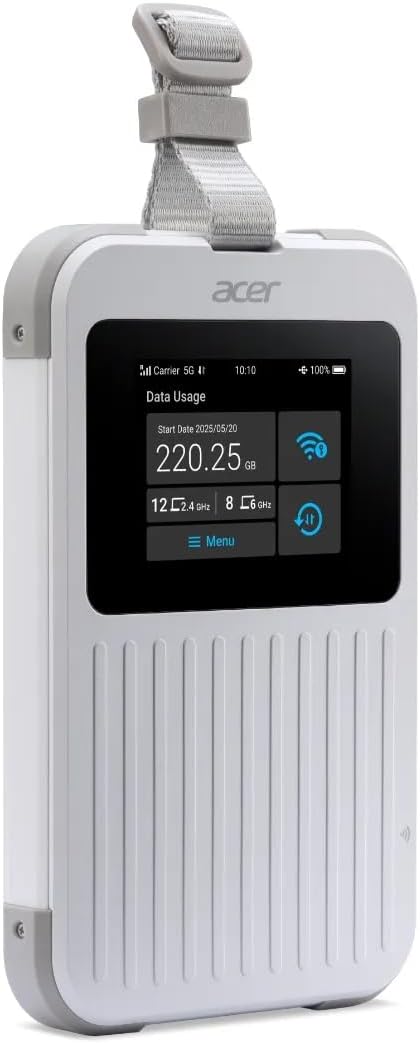
The Acer Connect M6E 5G Mobile Wi-Fi Hotspot, a compact and portable device designed for high-speed internet access on the go.
Ključne karakteristike:
- Blazing Fast 5G Speeds: Enjoy ultra-low latency and high-speed internet for streaming, gaming, and work.
- Prijenosni i lagani: Compact design fits easily in your bag, making it ideal for travel and remote work.
- Secure Wi-Fi Anywhere: Protect your data with encrypted connections instead of using public hotspots.
- Dugo trajanje baterije: Stay connected for hours with a powerful 8000 mAh battery designed for all-day use.
- Podrška za više uređaja: Connect up to 20 devices simultaneously for seamless productivity and entertainment.
- Robustan dizajn: MIL-STD 810H certified and IP68 water-resistant for enhanced durability.
- Tri-SIM Support: Supports physical SIM, Virtual SIM, and eSIM for broad country coverage.
- NFC Touch-to-Connect: Quick pairing with Android devices.
2. Što je u kutiji
Upon unboxing your Acer Connect M6E, ensure all components are present:
- Acer Connect M6E 5G Mobile Wi-Fi Hotspot
- USB kabel za punjenje tipa C
- Kratki vodič / Upute za uporabu
3. Vodič za postavljanje
3.1. Punjenje uređaja
Before initial use, fully charge your Acer Connect M6E hotspot.
- Spojite priloženi USB Type-C kabel na priključak za punjenje na uređaju.
- Drugi kraj kabela priključite na kompatibilni USB adapter za napajanje (nije uključen) ili USB priključak računala.
- The touchscreen display will indicate charging status. A full charge typically takes several hours.
3.2. Umetanje SIM kartice (nije obavezno)
The Acer Connect M6E supports physical SIM cards, virtual SIMs, and eSIMs. If using a physical SIM:
- Power off the device by pressing and holding the power button.
- Locate the SIM card slot, usually under a removable back cover or side tray.
- Insert your Nano-SIM card into the designated slot with the gold contacts facing down.
- Provjerite je li SIM kartica sigurno umetnuta.
- Replace any covers or trays.
3.3. Initial Power On and Connection
- Press and hold the power button until the Acer logo appears on the touchscreen.
- The device will boot up and automatically search for available 5G or 4G LTE networks.
- Once connected, the network status (e.g., 5G, 4G LTE) and signal strength will be displayed on the screen.
- The Wi-Fi network name (SSID) and password (Key) will be shown on the touchscreen.
- On your device (smartphone, laptop, tablet), search for the Wi-Fi network name displayed on the M6E.
- Unesite lozinku za povezivanje.
4. Upute za rad
4.1. Navigacija putem zaslona osjetljivog na dodir
The 2.4-inch touchscreen allows for easy management of the hotspot's settings and information.
- Ukrasti: Navigate through different information screens (e.g., data usage, connected devices, battery status).
- Dodirnite: Select options or confirm actions.
4.2. Povezivanje više uređaja

The Acer Connect M6E supports connections for up to 20 devices simultaneously, enabling seamless sharing of its high-speed Wi-Fi 6E network.
The M6E can support up to 20 devices simultaneously. To connect additional devices:
- Ensure the hotspot is powered on and has an active internet connection.
- On each device, go to Wi-Fi settings and select the M6E's SSID.
- Unesite lozinku za Wi-Fi kada se to od vas zatraži.
4.3. NFC Touch-to-Connect (for Android Devices)
For compatible Android smartphones, you can quickly connect using NFC:
- Provjerite je li NFC omogućen na vašem Android uređaju.
- Tap your Android device against the NFC area on the Acer Connect M6E.
- Follow the on-screen prompts to establish the Wi-Fi connection.
4.4. Sigurnosne značajke

Ensure your data is protected with enterprise-grade security features including WPA3 encryption, firewall, and VPN support, safeguarding your connections from public networks.
The Acer Connect M6E includes advanced security protocols to protect your data:
- WPA3 enkripcija: Provides enhanced security for your Wi-Fi network.
- Built-in Firewall: Helps prevent unauthorized access to your connected devices.
- VPN podrška: Allows for secure, encrypted connections over public networks.
- SIM Lock: Prevents unauthorized use of your SIM card.
4.5. USB Type-C Tethering
You can also connect a single device directly to the hotspot via USB for a stable, wired internet connection.
- Connect the Acer Connect M6E to your laptop or PC using a USB Type-C cable.
- On the hotspot's touchscreen, select the USB tethering option (if prompted).
- Your connected device should now have internet access via the hotspot.
5. Održavanje
To ensure the longevity and optimal performance of your Acer Connect M6E:
- Držite ga čistim: Wipe the device with a soft, dry cloth. Avoid harsh chemicals or abrasive materials.
- Ažuriranja softvera: Regularly check for and install firmware updates to ensure the latest features and security patches. This can usually be done via the device's settings menu on the touchscreen or a connected web sučelje.
- Njega baterije: Avoid extreme temperatures. Do not leave the device fully discharged for extended periods.
- Skladištenje: Čuvajte uređaj na hladnom i suhom mjestu kada nije u upotrebi.
6. Rješavanje problema
6.1. Nema internetske veze
- Provjerite jačinu signala: Ensure the device is in an area with good 5G/4G LTE coverage.
- SIM kartica: Verify the SIM card is correctly inserted and active. Check your data plan status with your service provider.
- Ponovno pokretanje: Turn the hotspot off and then on again.
- Postavke APN-a: If using a physical SIM, ensure the Access Point Name (APN) settings are correct for your carrier. These can usually be configured via the device's web sučelje.
6.2. Uređaj se ne povezuje s Wi-Fi mrežom
- Ispravna lozinka: Dvaput provjerite unosite li ispravnu lozinku za Wi-Fi.
- Ograničenje uređaja: Ensure you haven't exceeded the maximum number of connected devices (20).
- Ponovno pokretanje: Restart both the hotspot and the device you are trying to connect.
6.3. Male brzine
- Snaga signala: Premjestite se na područje s boljim signalom.
- Povezani uređaji: Disconnect any unnecessary devices to free up bandwidth.
- Ograničenje podataka: Check if you have reached your data plan's high-speed limit.
- smetnje: Udaljite se od drugih elektroničkih uređaja koji bi mogli uzrokovati smetnje.
7. Specifikacije
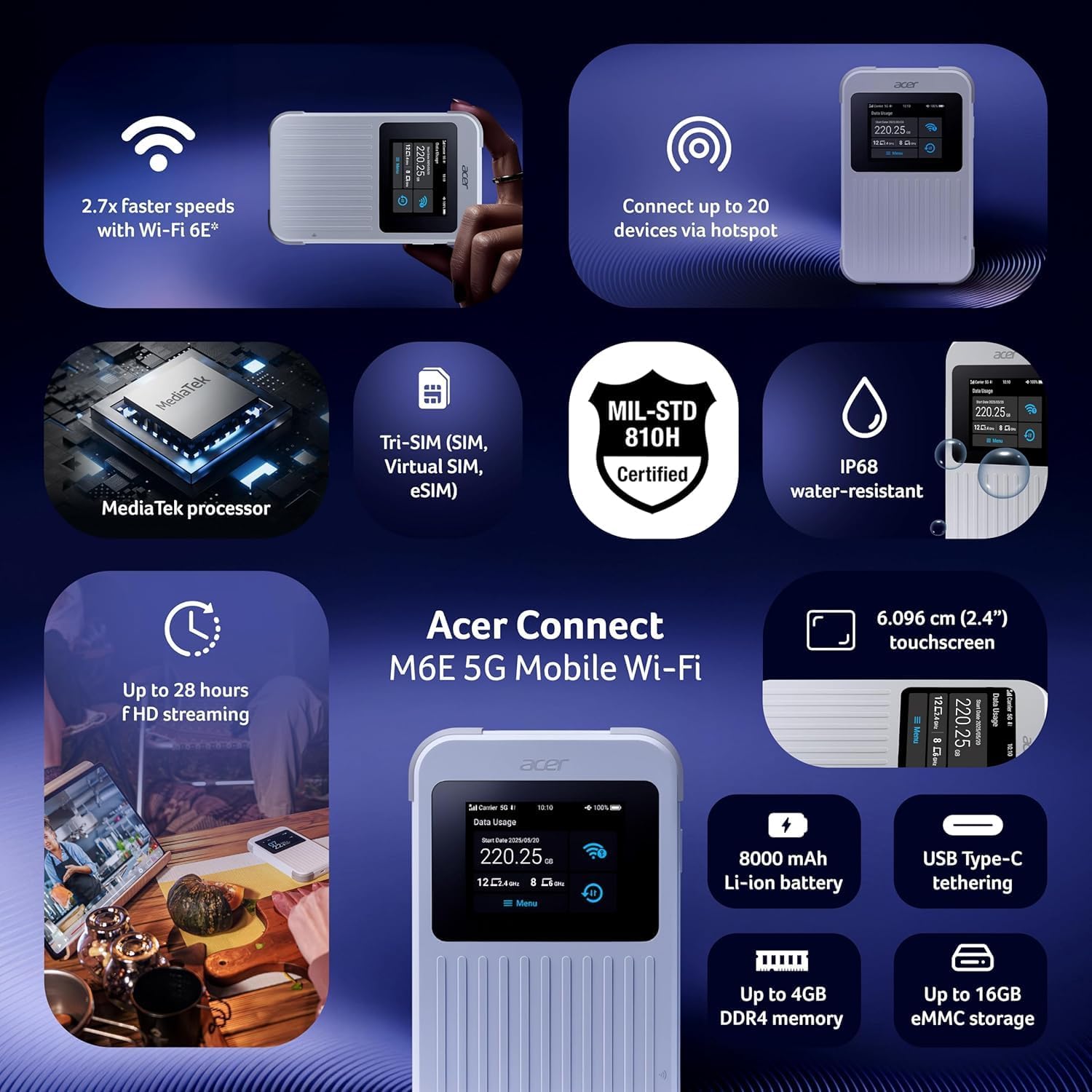
Overview of the Acer Connect M6E's capabilities, including MediaTek processor, Tri-SIM support (SIM, Virtual SIM, eSIM), MIL-STD 810H certification, IP68 water resistance, 2.4-inch touchscreen, 8000 mAh battery, USB Type-C tethering, up to 4GB DDR4 memory, and up to 16GB eMMC storage.
| Značajka | Detalj |
|---|---|
| Naziv modela | M6E |
| Tehnologija povezivanja | 5G |
| Standard bežične komunikacije | 802.11ac, 802.11ax (Wi-Fi 6E), 802.11b, 802.11g, 802.11n |
| Klasa frekvencijskog pojasa | Dual-Band |
| Kapacitet baterije | 8000 mAh |
| Veličina zaslona osjetljivog na dodir | 2.4 inča |
| Robusnost | IP68 Water-Resistant, MIL-STD 810H Certified |
| SIM podrška | Tri-SIM (Physical SIM, Virtual SIM, eSIM) |
| Sigurnosne značajke | Enterprise-Grade Security, WPA3, Firewall, VPN, SIM Lock |
| Posebna značajka | Remote Access, NFC Touch-to-Connect |
| Kompatibilni uređaji | Osobno računalo, pametni telefon |
| Uključene komponente | Hotspot |
8. Jamstvo i podrška
Za informacije o jamstvu, tehničku podršku ili upite o servisu, obratite se službenom Acerovom website or contact Acer customer service directly.
- Mrežna podrška: Posjetite Acer podrška Webmjesto za često postavljana pitanja, upravljačke programe i priručnike.
- Kontaktirajte službu za korisnike: Pogledajte pakiranje proizvoda ili Acer webstranica za regionalne kontaktne informacije.
9. Dodatni resursi
9.1. Slike proizvoda

The 'Tap, Connect, Create' image highlights the M6E's NFC touch-to-connect, 8000 mAh battery for up to 28 hours of HD streaming, and USB Type-C tethering capabilities for charging and data sharing.
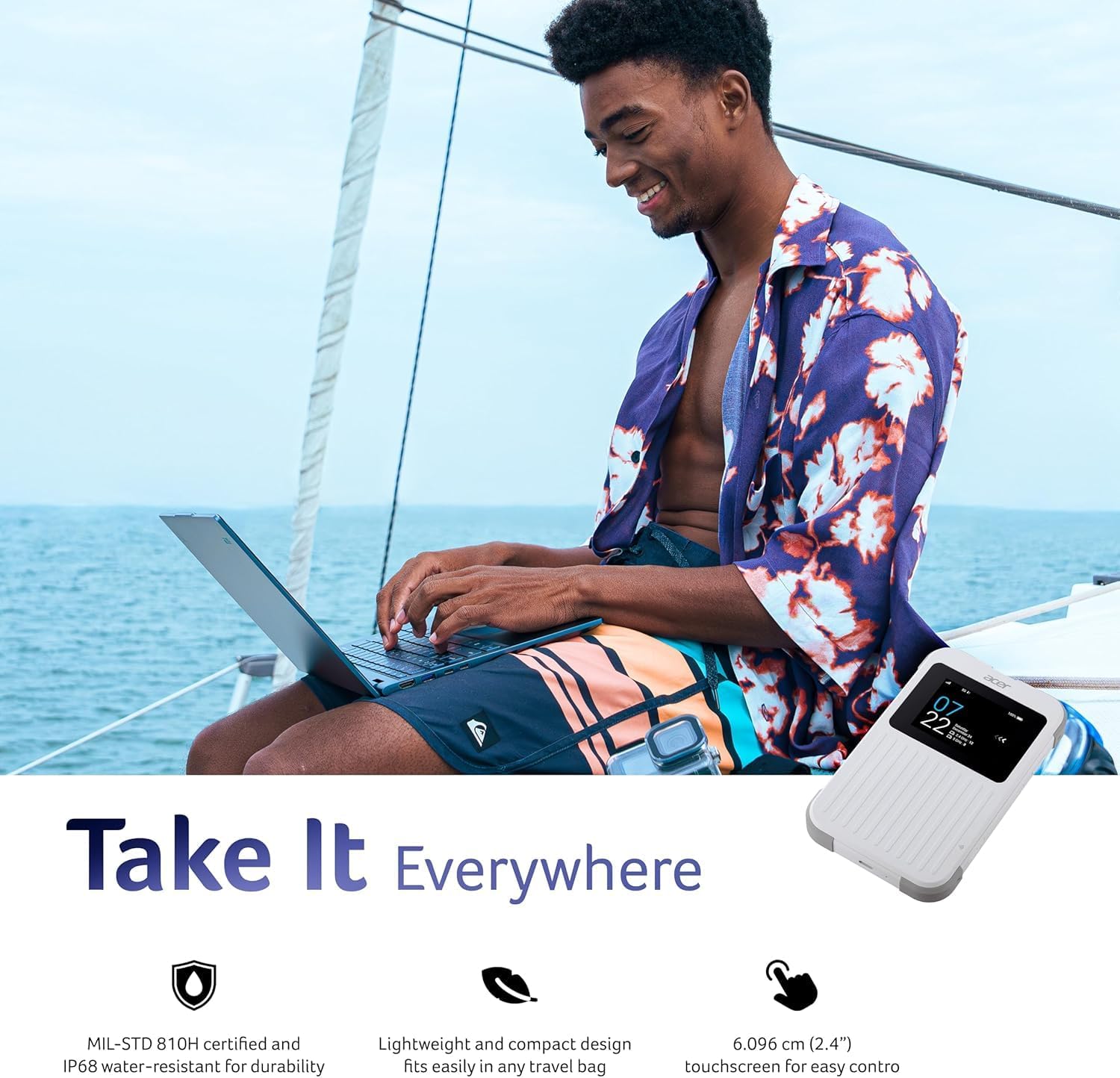
The 'Take It Everywhere' image emphasizes the M6E's MIL-STD 810H certification, IP68 water-resistant durability, lightweight design, and 2.4-inch touchscreen for easy control, making it suitable for any environment.
9.2. Povezani videozapisi
This video illustrates how a portable Wi-Fi hotspot provides a secure and private internet connection, offering an alternative to public Wi-Fi networks and simplifying eSIM management for global connectivity.
Discover the convenience of global travel Wi-Fi with this portable mobile hotspot, featuring 4G LTE and Wi-Fi 6 for fast and reliable internet access wherever you go.


